Pay to Customer
The shipping company delivers parcels to the end recipients on behalf of its customers.
If COD amounts are collected on delivery, the company must later transfer these amounts to the customer after deducting the agreed commission.
Through the Pay to Customer screen, you can manage and track all payment transactions made by the shipping company to its direct customers in an organized and transparent way.
Access
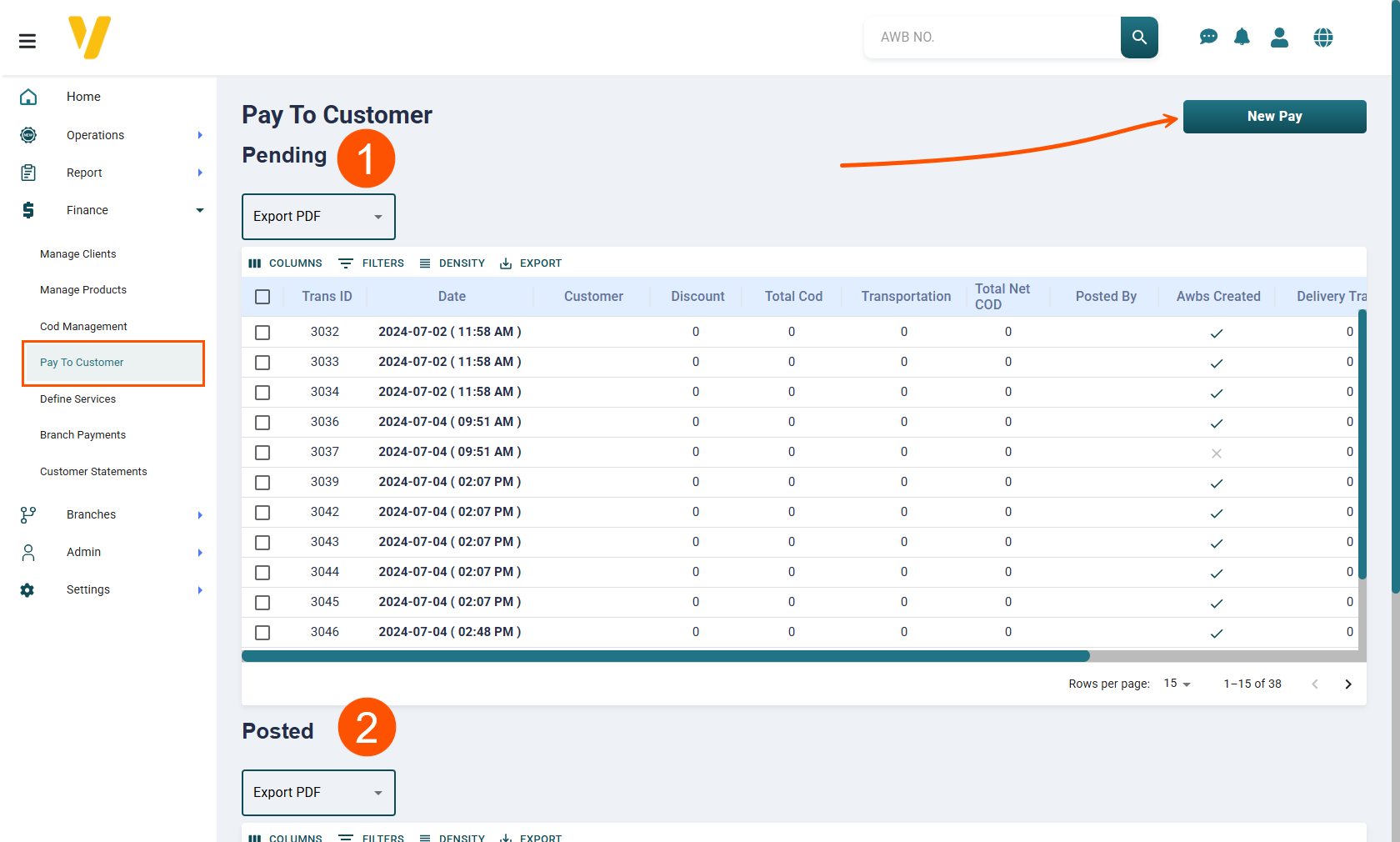
From the Finance menu, select Pay to Customer.
Page Sections
The Pay to Customer screen consists of two main tables:
- Pending — Displays payment transactions still awaiting confirmation or posting.
- Posted — Displays transactions that have been completed, confirmed, and delivered to the customer.
Creating a New Payment
From the Finance menu, select Pay to Customer, then click the New Pay button.
You can create a new payment in two ways:
- Using Customer Shipments.
- Using AWB Numbers.
Both methods aim to identify the shipments for which COD amounts should be paid to the customer after deducting any agreed charges.
Example: Paying a Customer via Customer Shipments
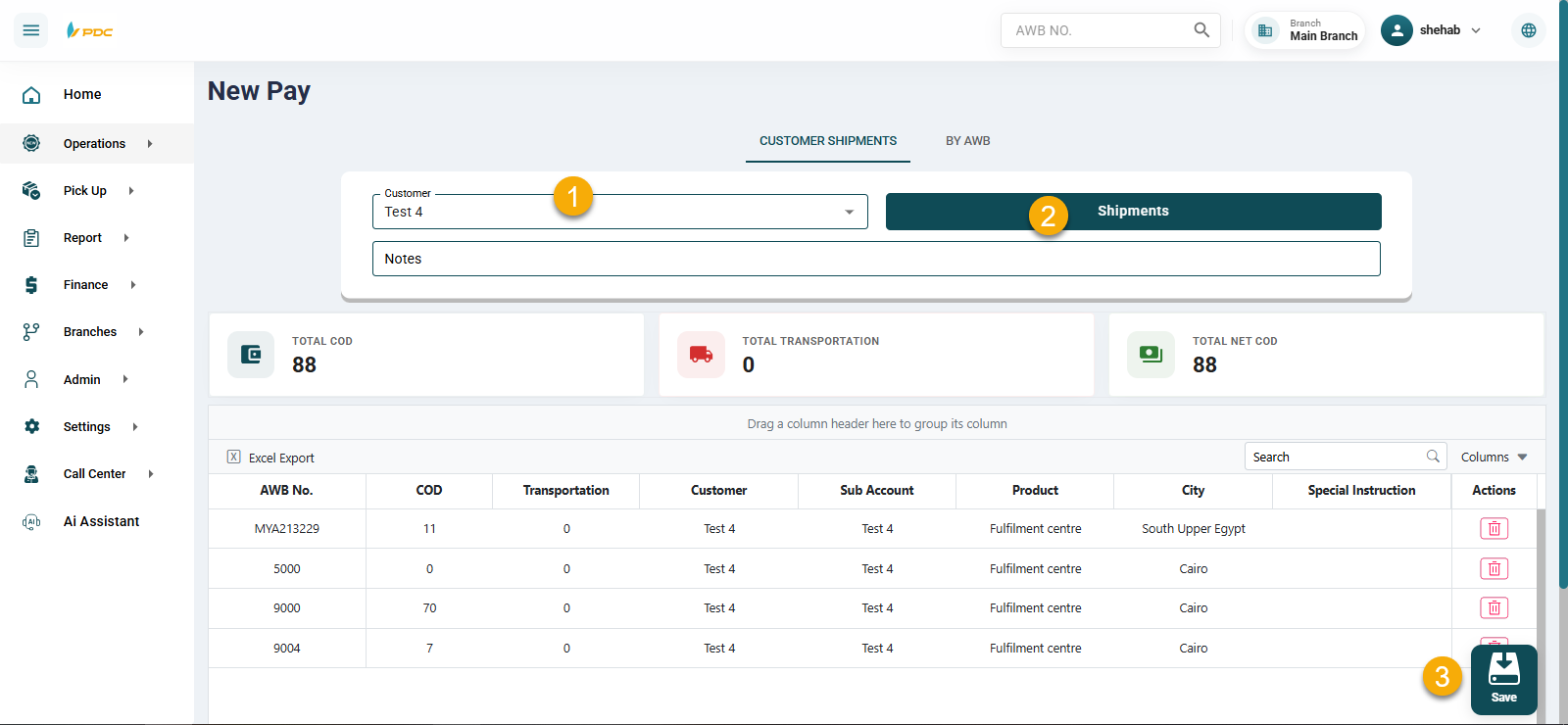
- Select the customer from the dropdown list.
- Click Shipments to display all shipments eligible for payment.
- The payable amount appears as Net Amount, which equals:
Total COD – Total Shipping - Once ready, click Save to record the payment in the Pending table.
- The transaction must be posted from Pending to Posted.
Example: Paying a Customer via AWB Numbers
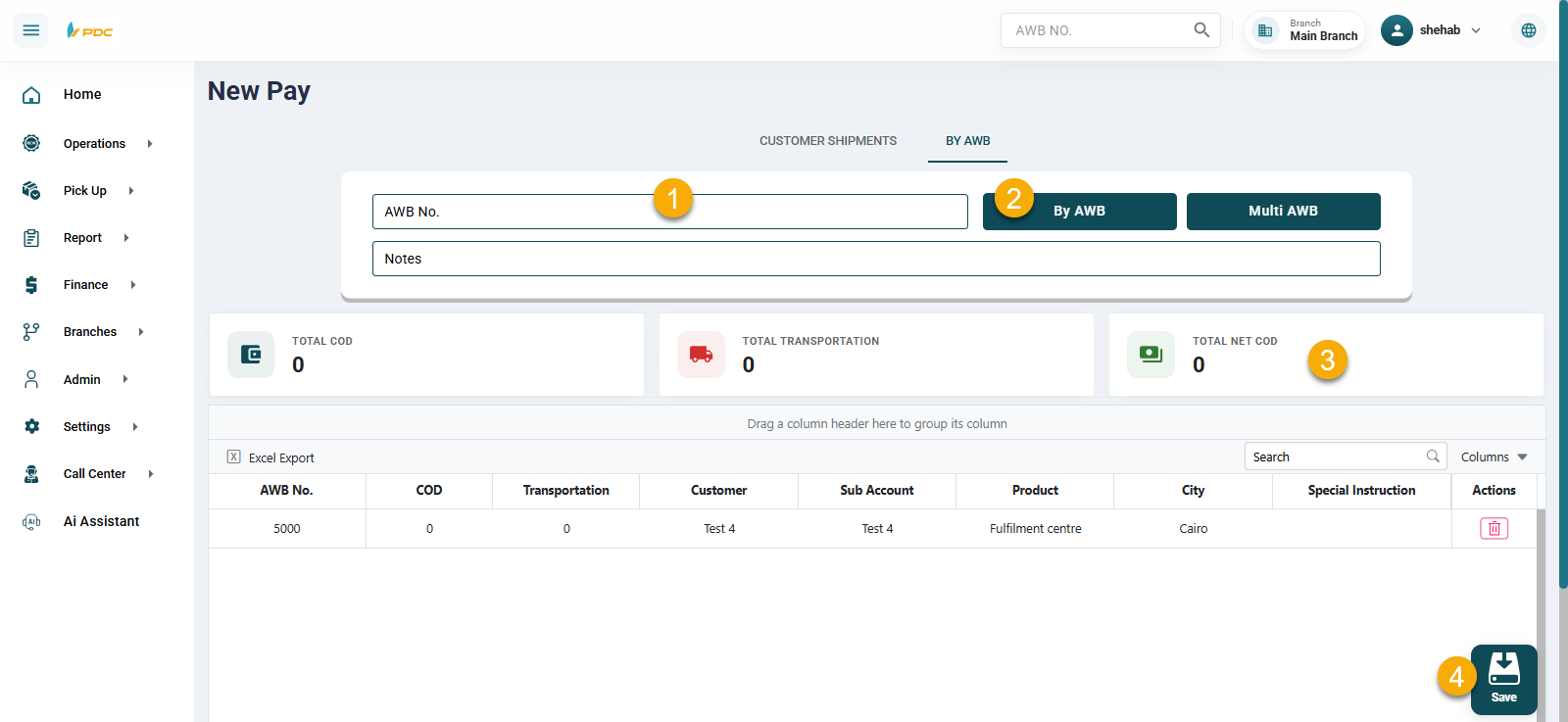
- Enter the AWB number in the AWB field.
- Click By AWB to add it to the table.
- If you have multiple shipments, click Multiple Shipments and enter all AWB numbers.
- The payable amount appears as Net Amount, which equals:
Total COD – Total Shipping - Once ready, click Save to record the payment in the Pending table.
- The transaction must be posted from Pending to Posted.
Posting a Payment
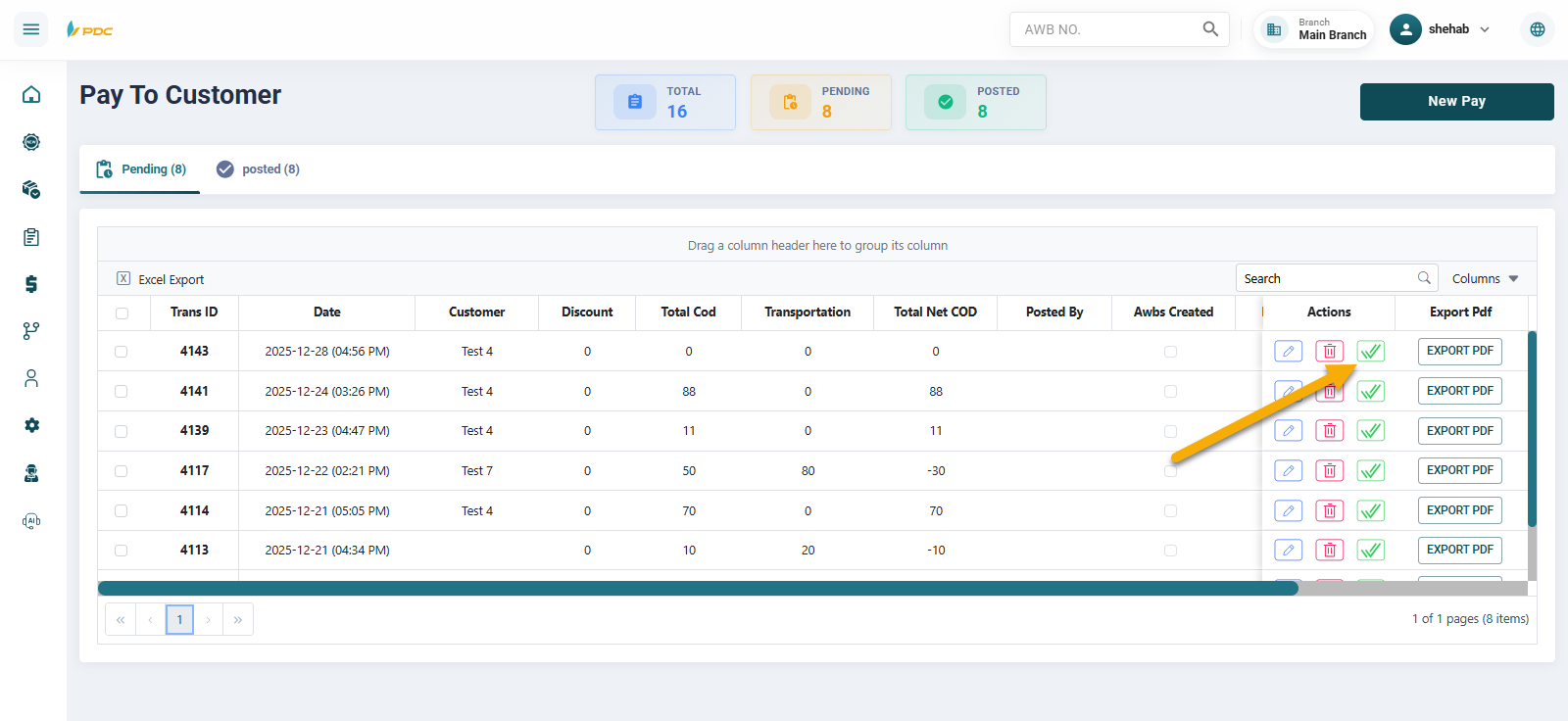
From the Pending table, after verifying the payment to the customer:
- Click the checkmark icon in the Actions column to confirm posting.
- The transaction will move to the Posted table, marking it as complete.
Send Collection Invoice via WhatsApp
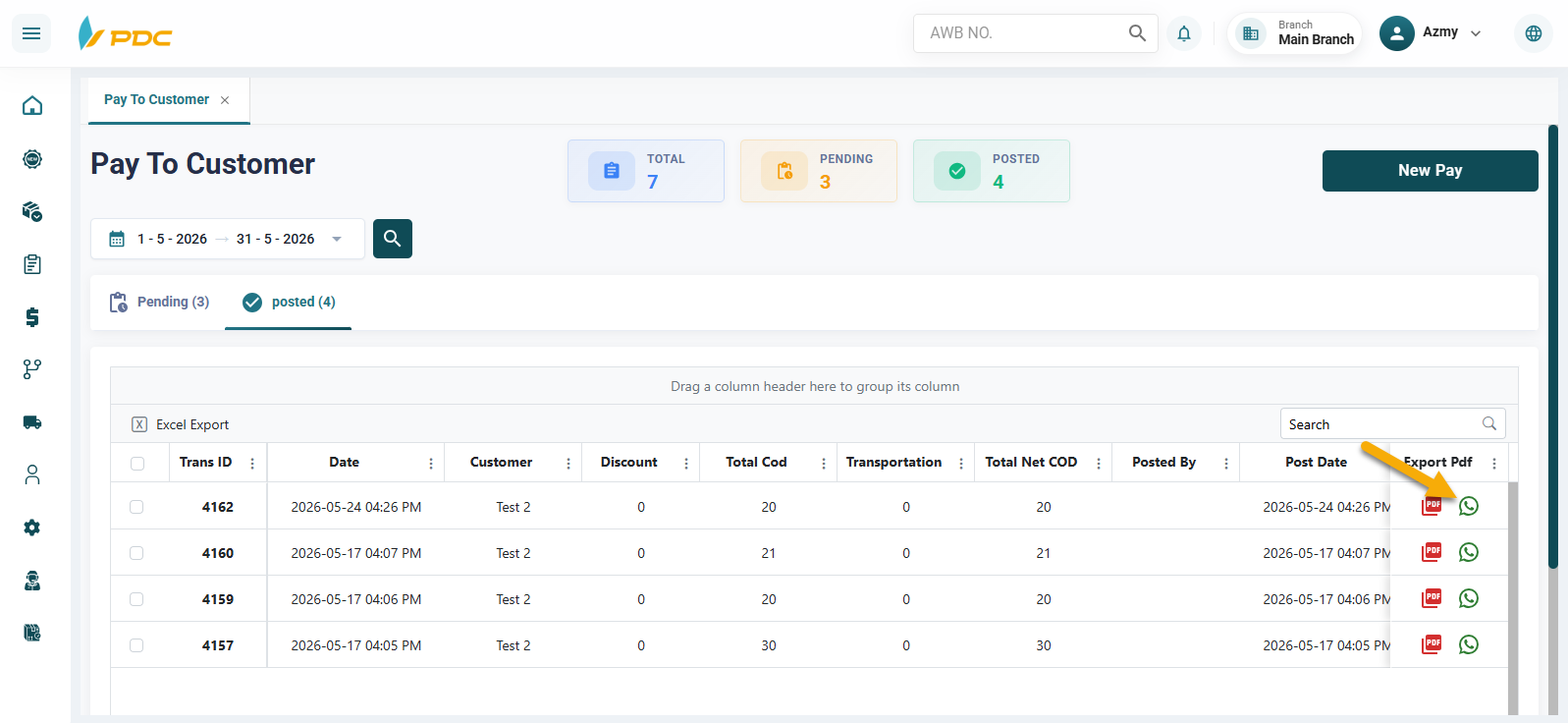
A WhatsApp button has been added to the Posting section of the Customer Collection Payments screen to make it easier to share payment details with customers quickly and directly.
The WhatsApp button appears next to successfully posted payment transactions, allowing users to send the payment invoice to the customer with a single click.
How to Use
- Open the Customer Collection Payments screen.
- Navigate to the Posting section.
- Locate the required payment transaction.
- Click the WhatsApp button displayed next to the transaction.
- The system will automatically send the payment invoice for that transaction to the customer's WhatsApp number.
Benefits
This feature helps to:
- Instantly notify customers about completed payment transactions.
- Share payment invoices quickly and conveniently.
- Reduce the need for manual invoice distribution.
- Improve communication and transparency between the company and its customers.
- Provide customers with a digital copy of their invoice for future reference.
- Simplify the tracking and verification of financial transactions and settlements.
This feature enhances the customer experience by enabling invoices to be delivered directly through WhatsApp immediately after the payment transaction has been posted, ensuring faster communication and greater financial transparency.