Branch Collection Request
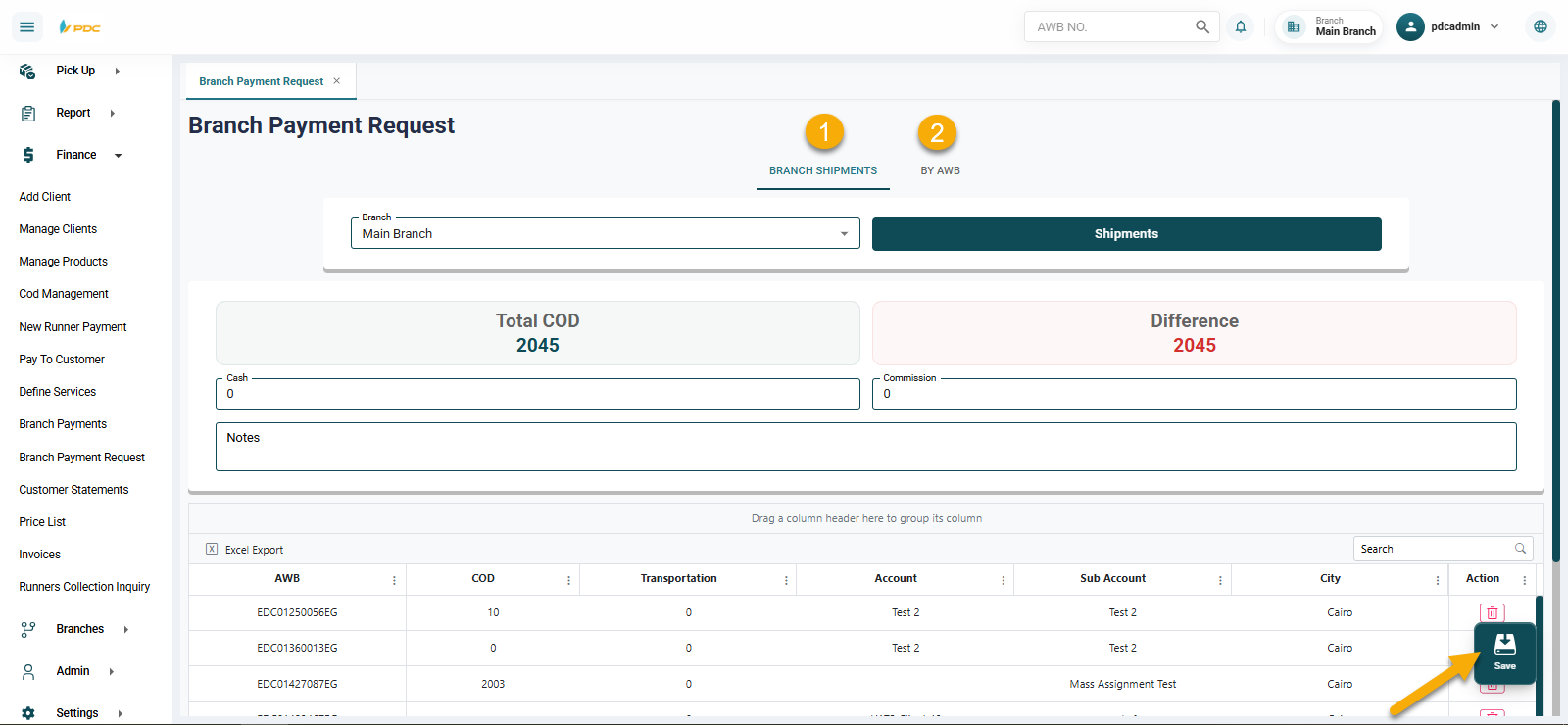
The Branch Collection Request screen is a simplified version of the Branch Collection screen. It allows users to record collection requests only without the ability to post (confirm) the transaction.
This screen is designed to control user permissions, enabling them to enter collection data without final approval.
How to Use
Collections can be performed using two methods:
1. By Branch
- Select the branch.
- Click the Shipments button.
- The system will display all shipments related to the selected branch.
- Add the amounts for the shipments to be collected.
2. By Specific Shipments
- Enter shipment numbers (AWBs) manually.
- The selected shipments will be added directly for collection.
Final Step
- Click Save to record the collection request.
This screen helps organize branch collections while maintaining proper control over user permissions and preventing unauthorized confirmations.