Customer Statements
The Customer Statements screen is used to create an account statement for a specific customer within a selected time period. It helps track all financial transactions related to the customer in a clear and organized way.
Access
From the Finance menu, select Customer Statements.
Steps
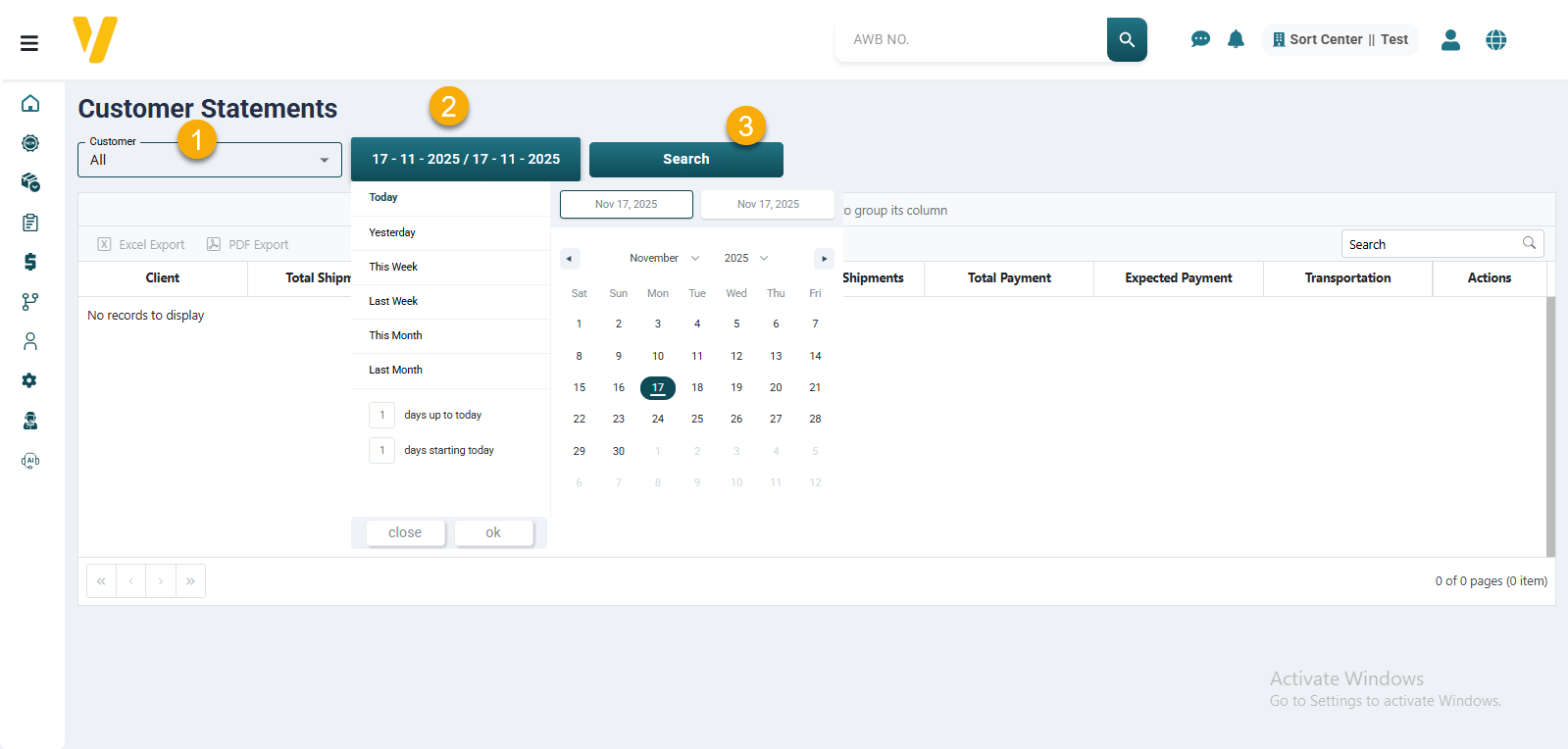
- Select the customer from the dropdown list.
- Choose the required date range.
- Click Search.
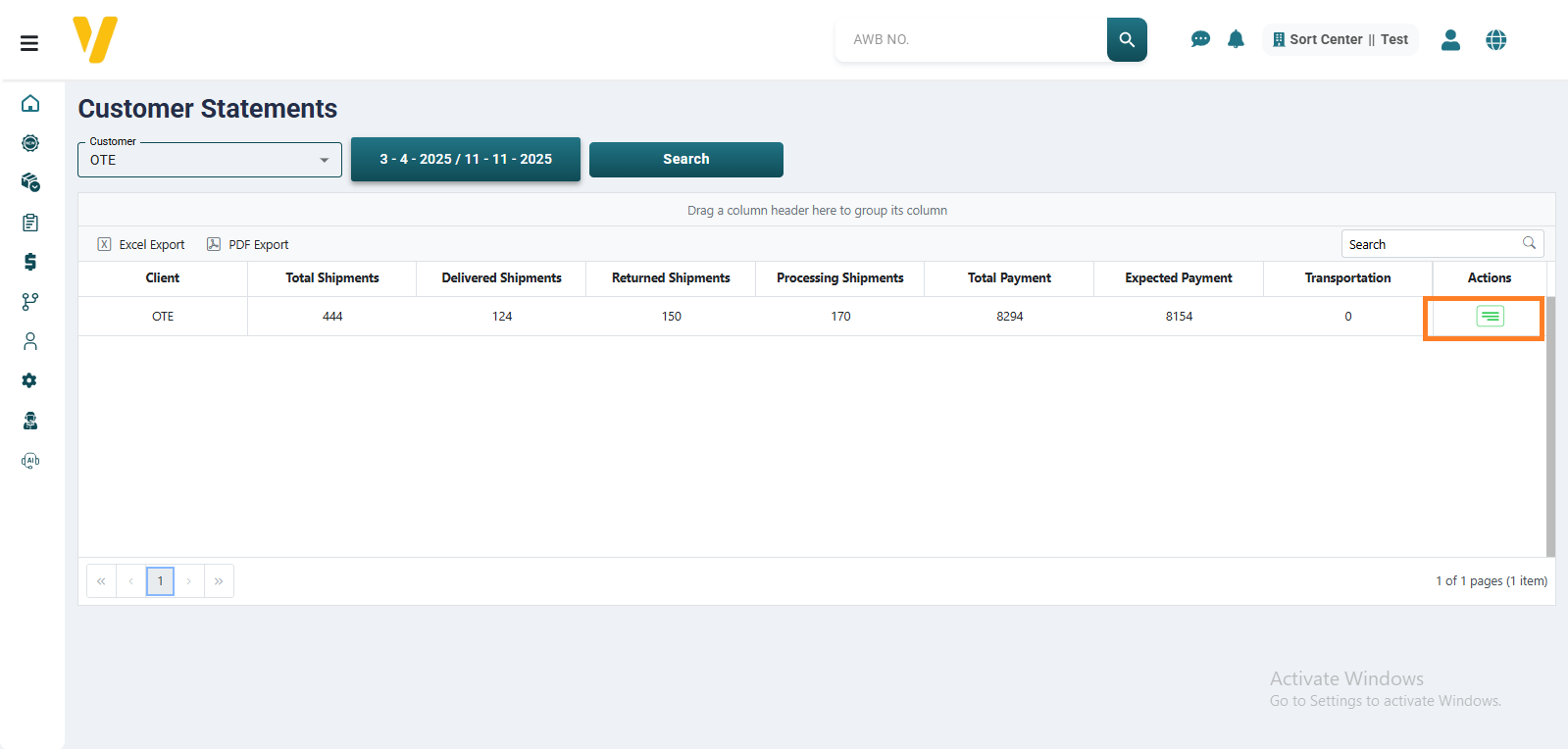
The statement will display the customer’s details for the selected period.
For example, a customer may have 6 shipments:
- 1 delivered shipment
- 1 returned shipment
- 4 shipments currently out for delivery
It also shows financial details such as:
- Total Payments – Amounts already paid to the customer.
- Expected Collections – COD amounts collected but not yet paid to the customer.
- Shipping – The related shipping costs.
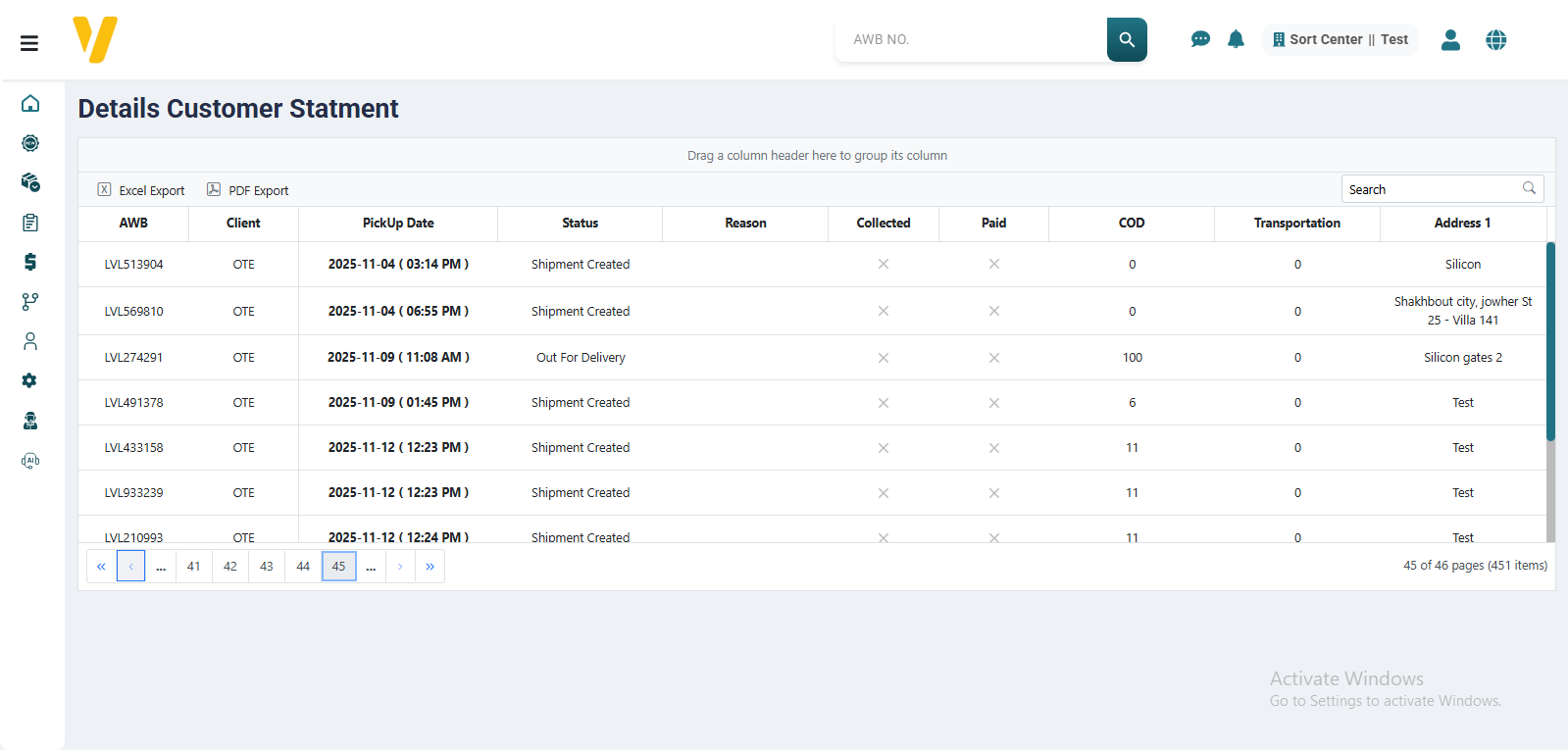
To view the shipment details, click the green button in the Actions column. A list will appear showing the shipments for the selected period, their status, and whether the COD was collected from the runner and paid to the customer.