Add Customer
The Add Customer screen is a simplified version of the customer creation process, focusing only on the customer addition section available in the Customer Setup page.
This screen is designed to allow assigning specific permissions to employees, giving them access to add customers only without accessing the full customer management module.
How It Works
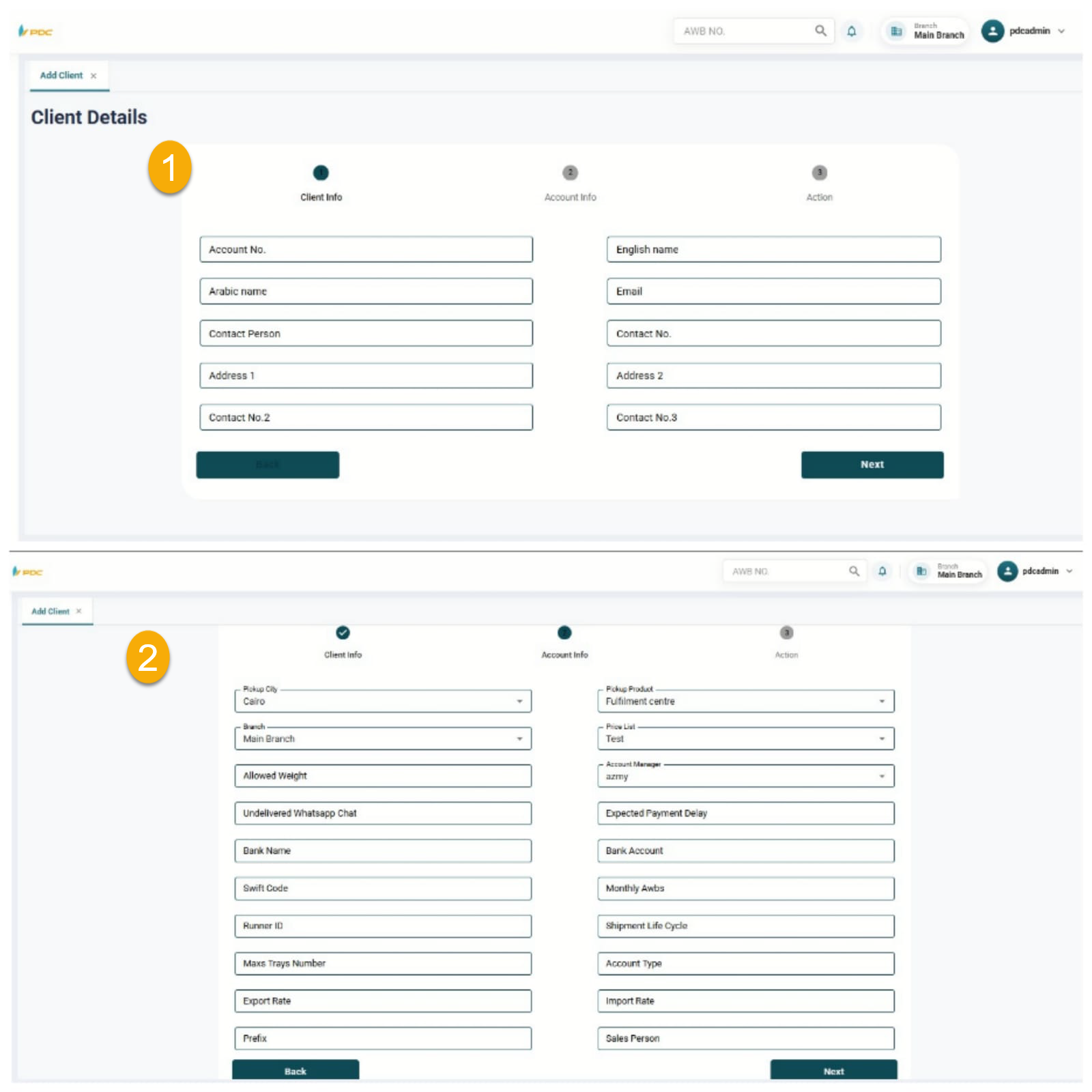
To create a new customer, the user needs to enter the required information:
- Customer Code
- Customer Name (Arabic & English)
- Branch
- Price List
- Account Manager
Then, the user can complete the rest of the required customer data and configurations.
Additional Settings
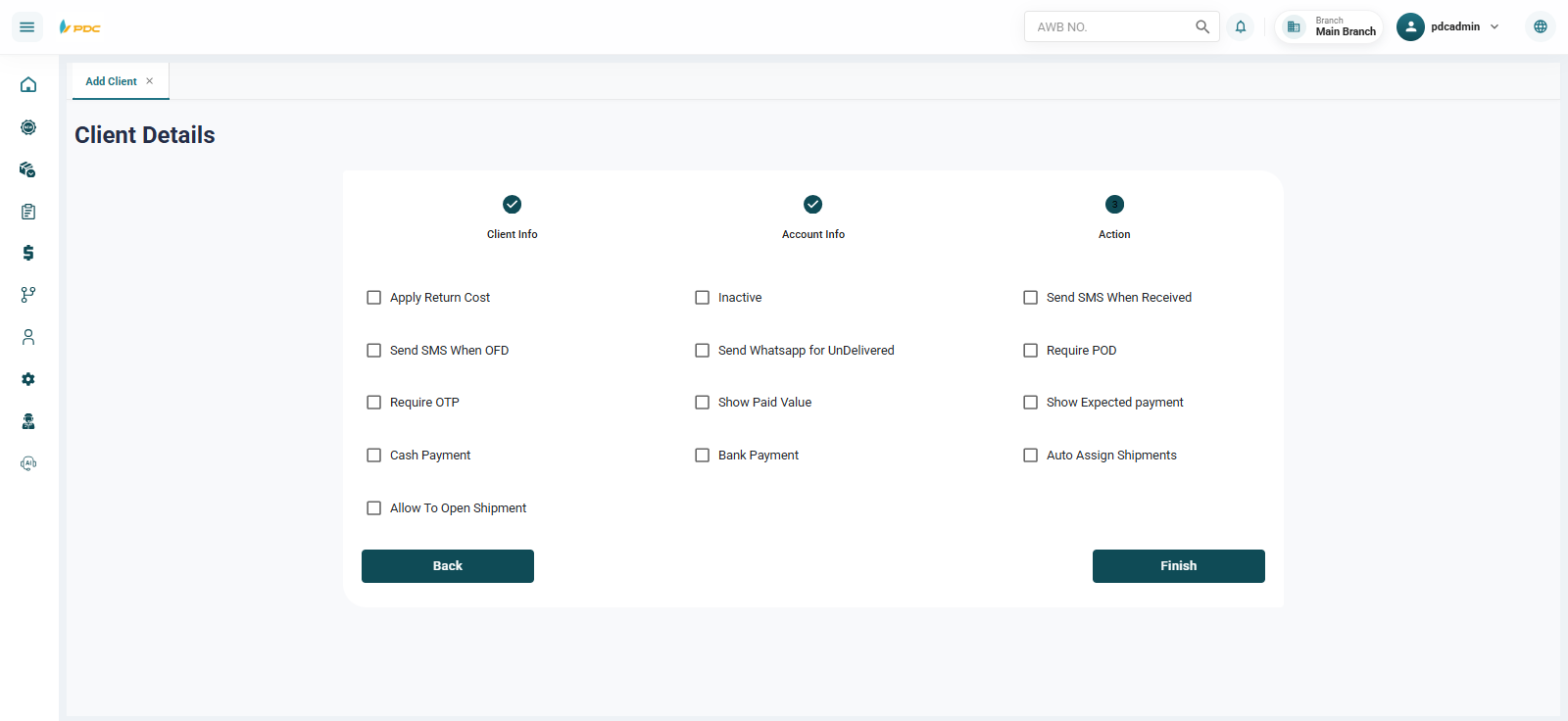
The user can also configure customer-related options such as:
- Linking the customer with POD (Proof of Delivery)
- Linking with ID validation
- Linking with OTP verification
- Or any other required configurations
Final Step
After entering all required data:
- Click Save to create the customer successfully.
This screen helps simplify the process and ensures controlled access for employees responsible only for customer creation.