New Cash Collection
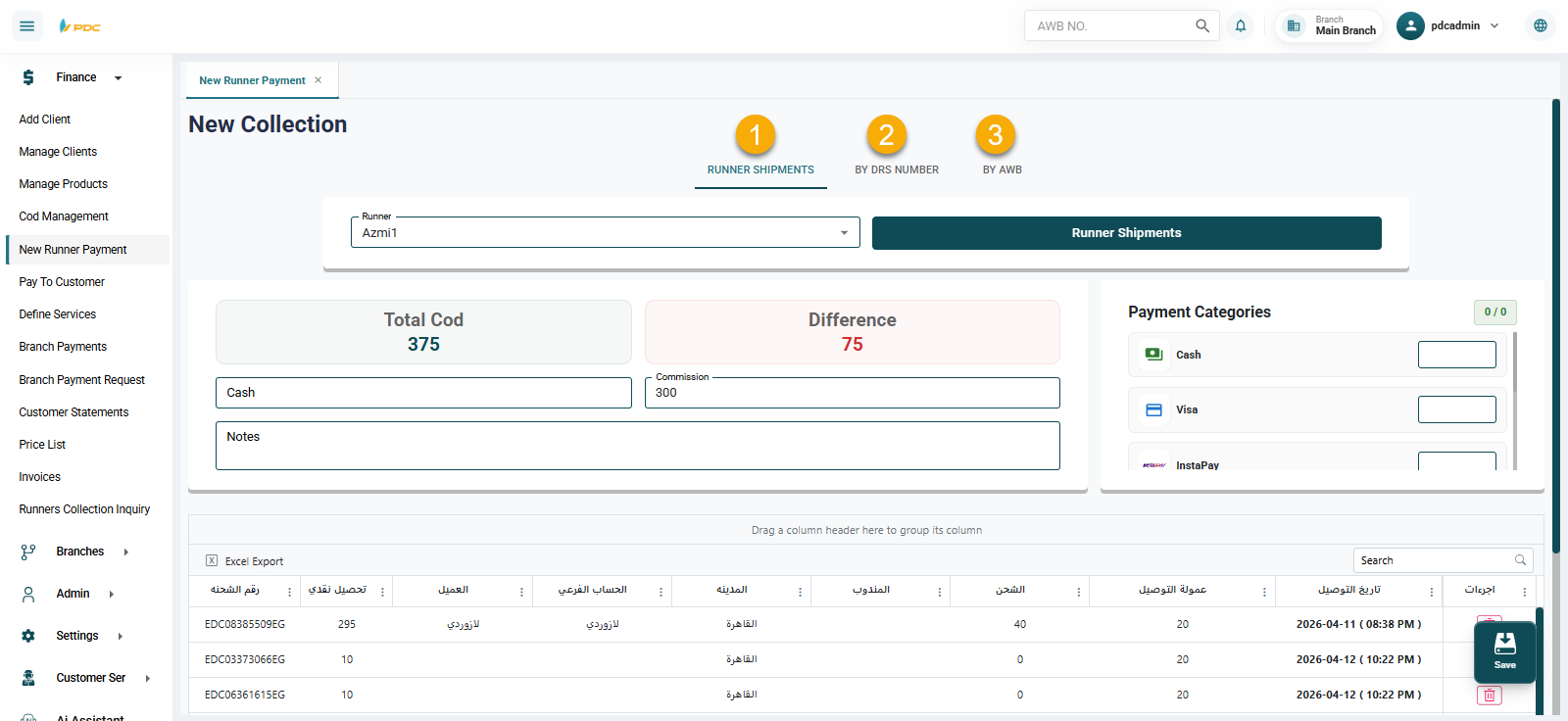
The New Cash Collection screen is a simplified version of the Cash Collection module. It focuses only on the collection process without allowing editing or posting (confirmation).
This screen is designed to control user permissions, allowing users to perform collection entry only without the ability to finalize or confirm the transaction.
Collection Methods
The screen supports multiple ways to perform collections, similar to the main Cash Collection screen:
- By Courier — Select a courier to display all assigned shipments
- By DRS (Distribution Run Sheet) — Enter the DRS number to retrieve related shipments
- By AWB (Shipment Number) — Enter specific shipment numbers manually
Payment Breakdown
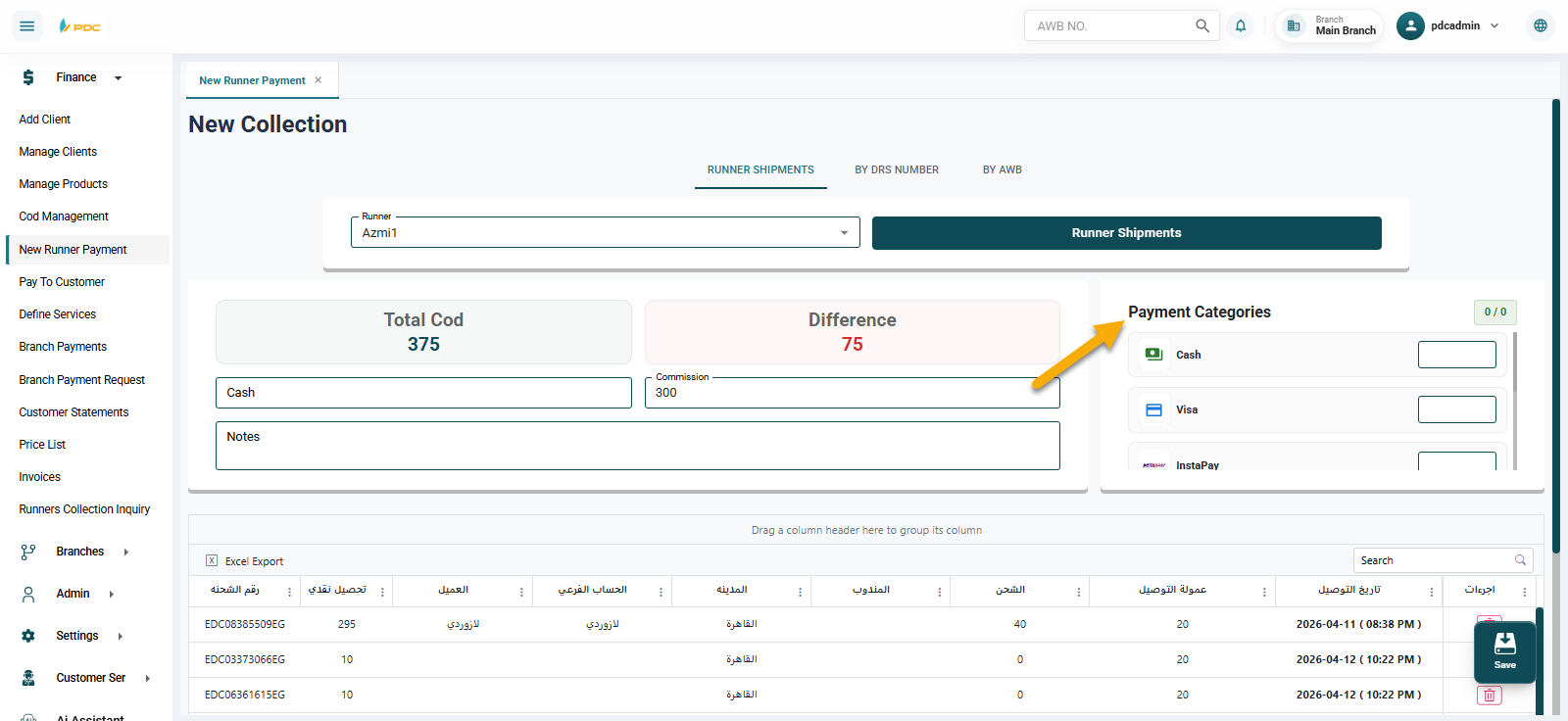
The collected amount can be categorized into different payment methods, such as:
- Cash
- Visa / Card Payments
- E-wallets (Instapay, Mobile Wallets, etc.)
- Or any other available payment methods
This helps in:
- Accurate tracking of payment types
- Better financial reporting
- Easier reconciliation processes
This screen ensures that users are limited to data entry while maintaining control over financial approvals and confirmations.