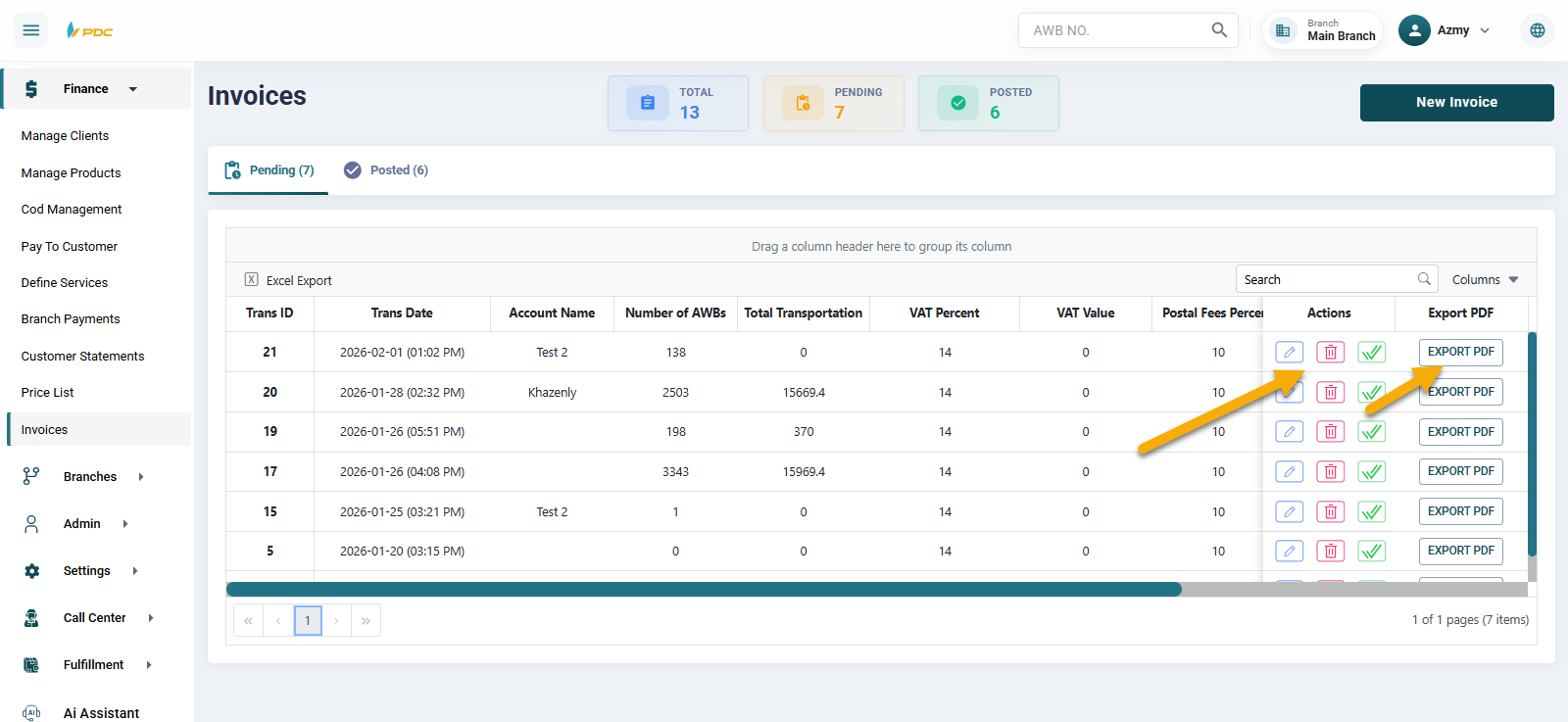
Invoices
The Invoices allows customers to generate invoices for their shipments using multiple methods.
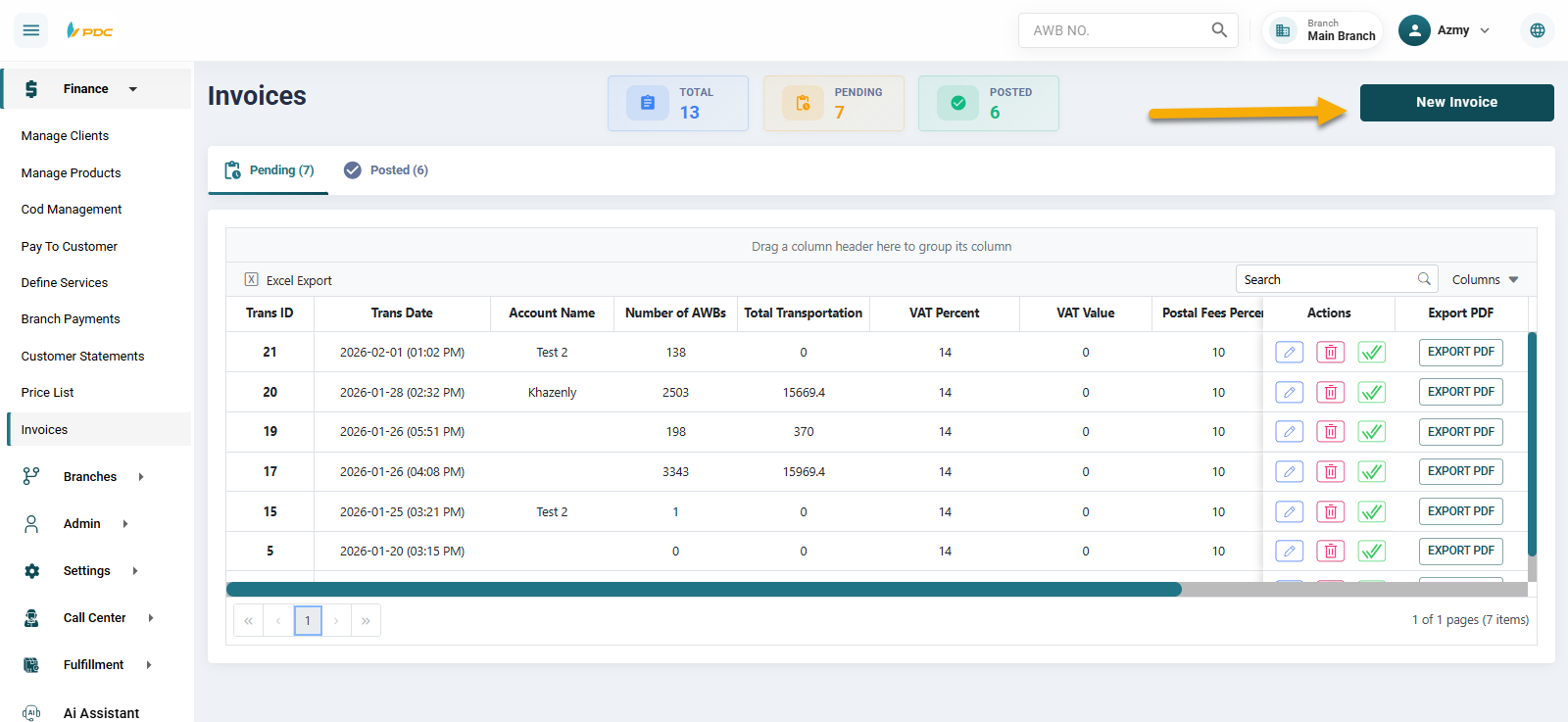
At the beginning, the operations employee clicks on New Invoice, after which invoices can be created and reviewed in several ways:
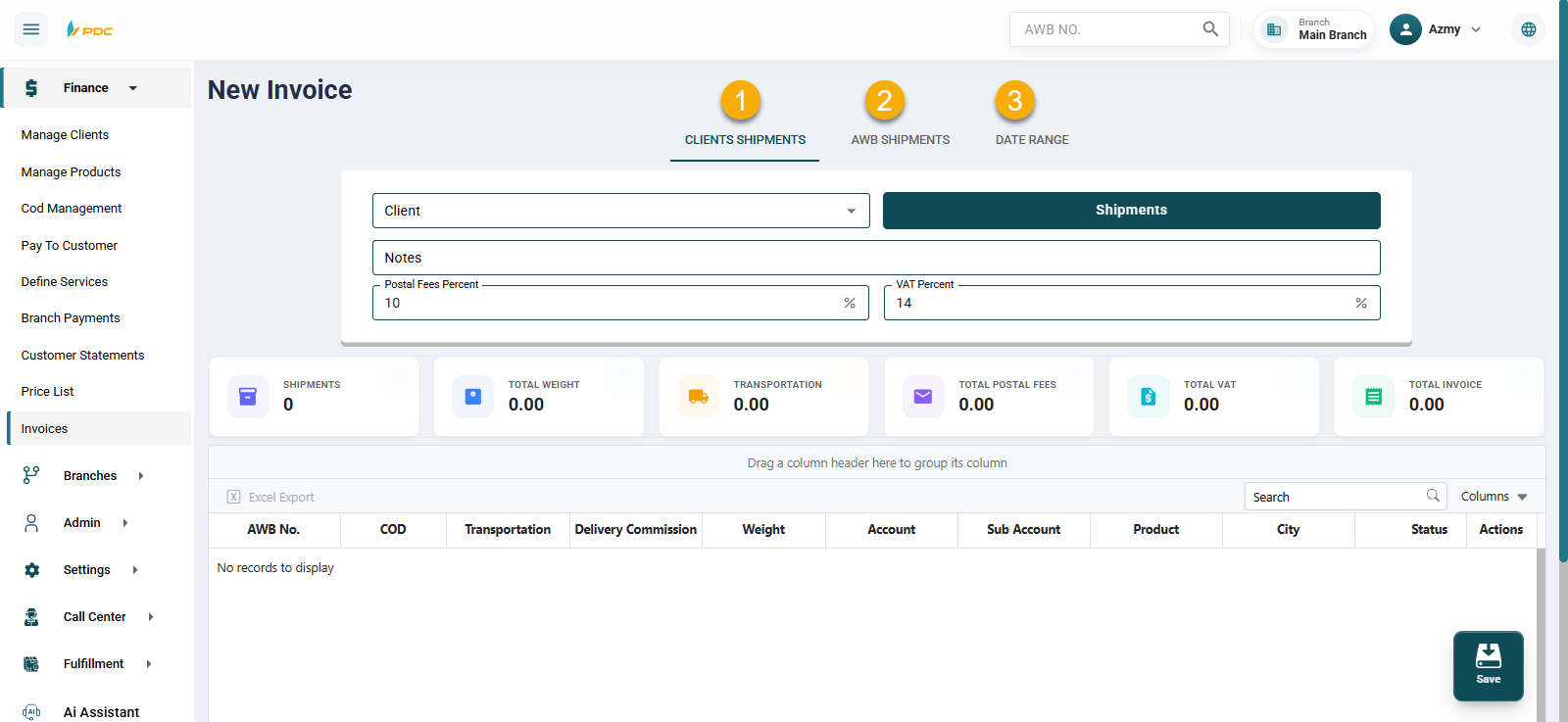
-
By customer level: The employee selects a specific customer and clicks on the Shipments button to display all shipments related to that customer.
-
By selected shipments: The employee can manually select specific shipments to be included in the invoice.
-
By date range: The employee can generate invoices for shipments within a specific period by defining a From and To date range.
Invoice Calculation Details
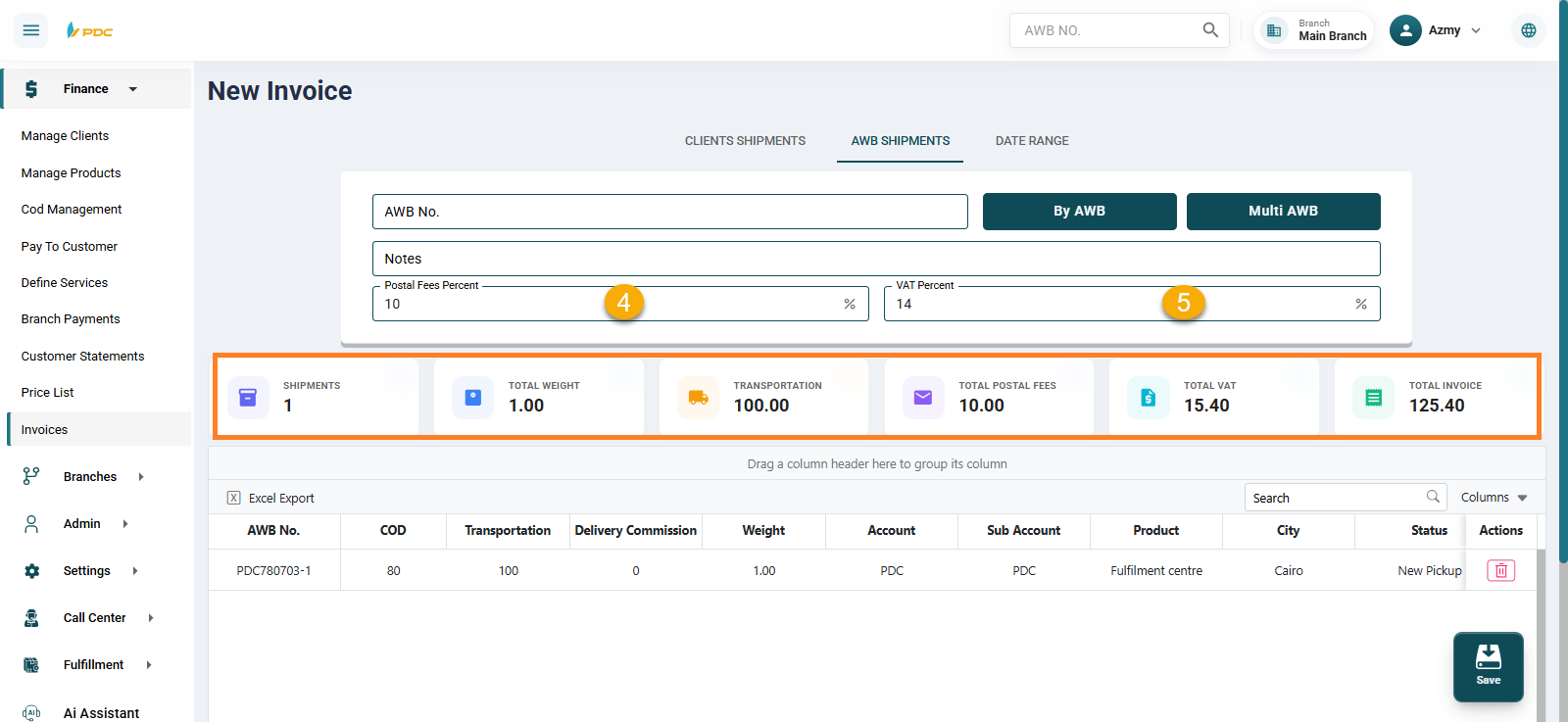
The employee specifies:
- Postal fees percentage
- Value Added Tax (VAT) percentage
These percentages are applied to the shipping waybills.
Based on the entered data, the system automatically calculates and displays:
- Total number of shipments
- Total weight
- Shipping cost
- Total postal fees
- Total VAT amount
All percentages are calculated based on the shipping cost amount.
Finally, the system calculates and displays the total invoice amount.
Saving and Managing Invoices
Once the employee clicks Save:
- The invoice can be viewed and printed by clicking Export PDF.
- By clicking the confirmation (✓) button, the invoice is posted and confirmed.
- The invoice can also be edited or deleted if needed.