Step 3: Upload the Excel File
After filling in the Excel template, follow these steps to upload it and create the shipments:
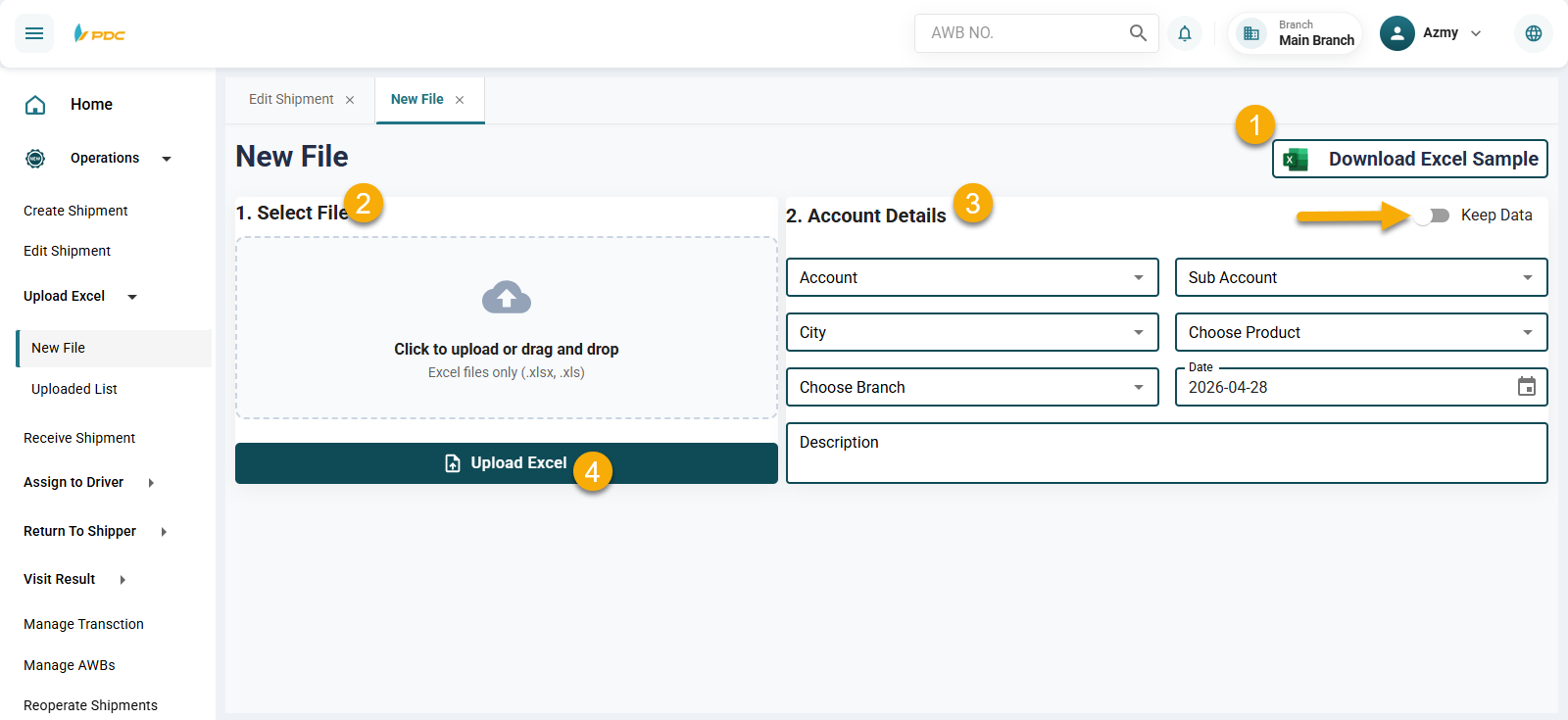
Go Back to the Upload Excel Page
Return to the same page where you downloaded the Excel file:
Path:
Sidebar → Operations → Upload Excel → New File
Upload the File and Fill in the Required Data
-
Click Choose File and select the Excel file you have filled out.
⚠️ Make sure the file is closed before uploading. -
Fill in the required fields to link the shipments with the client account:
- Select the Client Account – SubAccount
- Select the City from the list of cities
- Select the Branch from the list of branches
- Select the Product Type from the list of products
- The current date will be selected automatically
- You may add a description if needed
Keep Data Option
When the Keep Data option is enabled, the system retains the previously entered account details.
This allows the user to reuse the same data without re-entering it, especially when uploading an Excel file for the same customer with identical information.
This feature helps to:
- Save time
- Reduce repetitive data entry
- Improve efficiency for data entry operators
Note: All of the following fields are linked to dedicated setup screens that you can manage from the system:
| Field | How to Access |
|---|---|
| Account / SubAccount | Accounts → Manage Clients |
| City | Settings → Zones |
| Branch | System Data → Manage Branches |
| Product Type | Accounts → Products |
- Click the Upload Excel button to complete the import process.
Upload Summary
After uploading the Excel file and entering the required details, a summary screen will appear showing the result of the upload:
- Total Shipments: 2
- Valid: 2
- Invalid: 0
This summary provides a quick overview of how many shipments were successfully processed and how many were rejected due to errors.
If any shipments are marked as Invalid, check the Excel file for missing or incorrect data, fix the issues, and re-upload the file.
At the bottom of the page, a table will display the shipment numbers that were created.
Make sure to copy these numbers — they are required for distributing shipments to runners or for tracking later.
Waybill Printing
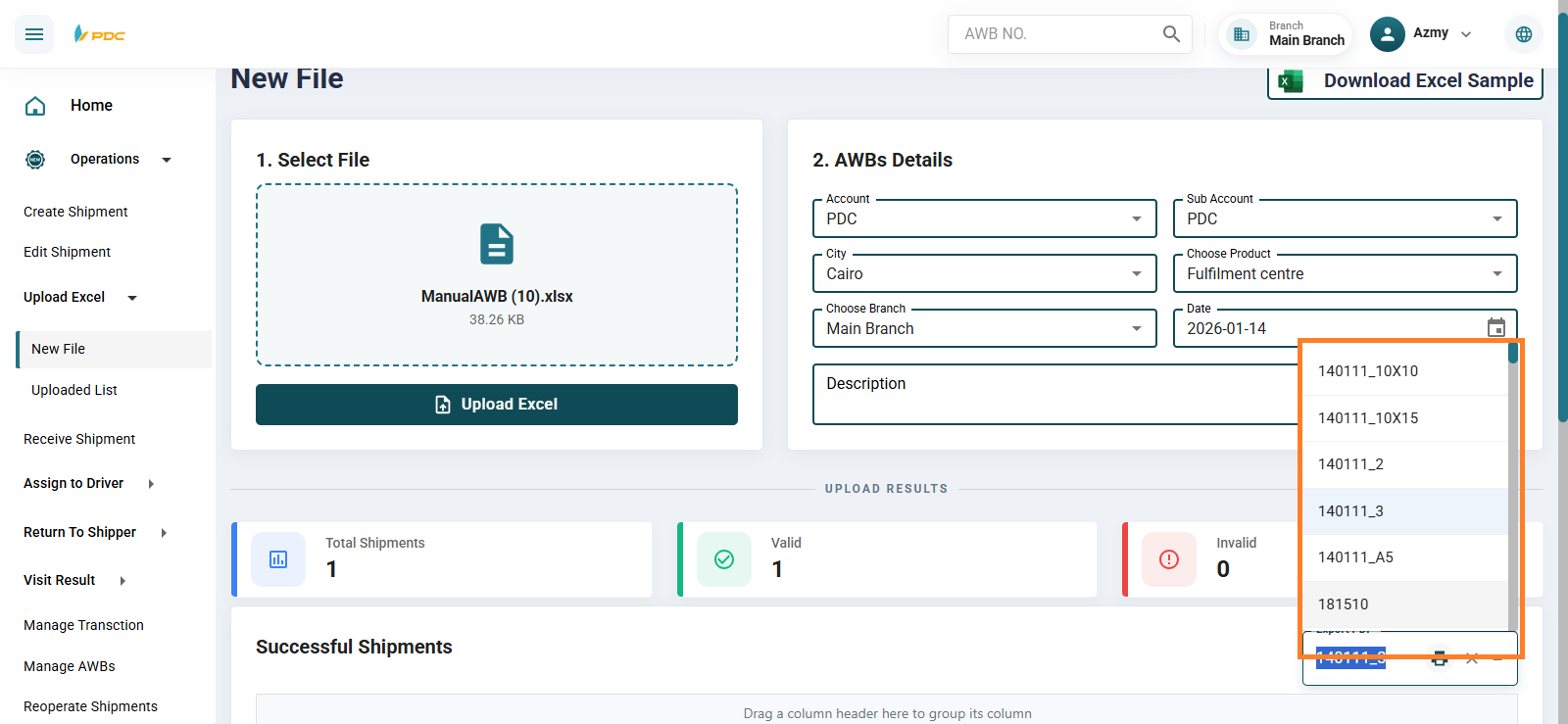
After saving the shipment successfully, you can print the shipment waybills directly from the same page. Click on the Print Waybill button as shown in the image below.
You can choose the appropriate waybill design from several available templates, depending on the required print format or the type of printer being used. These waybills are attached to the shipment during transportation or delivery and include all essential shipment details such as the shipment number, sender, receiver, and COD amount.