Courier Returns
The Courier Returns tab allows you to receive returned shipments from couriers. You can review and confirm returns through three main types: shipments marked as Not Delivered via the mobile app, Exchange shipments, or Partial Return shipments.
Step 1: Access the Screen
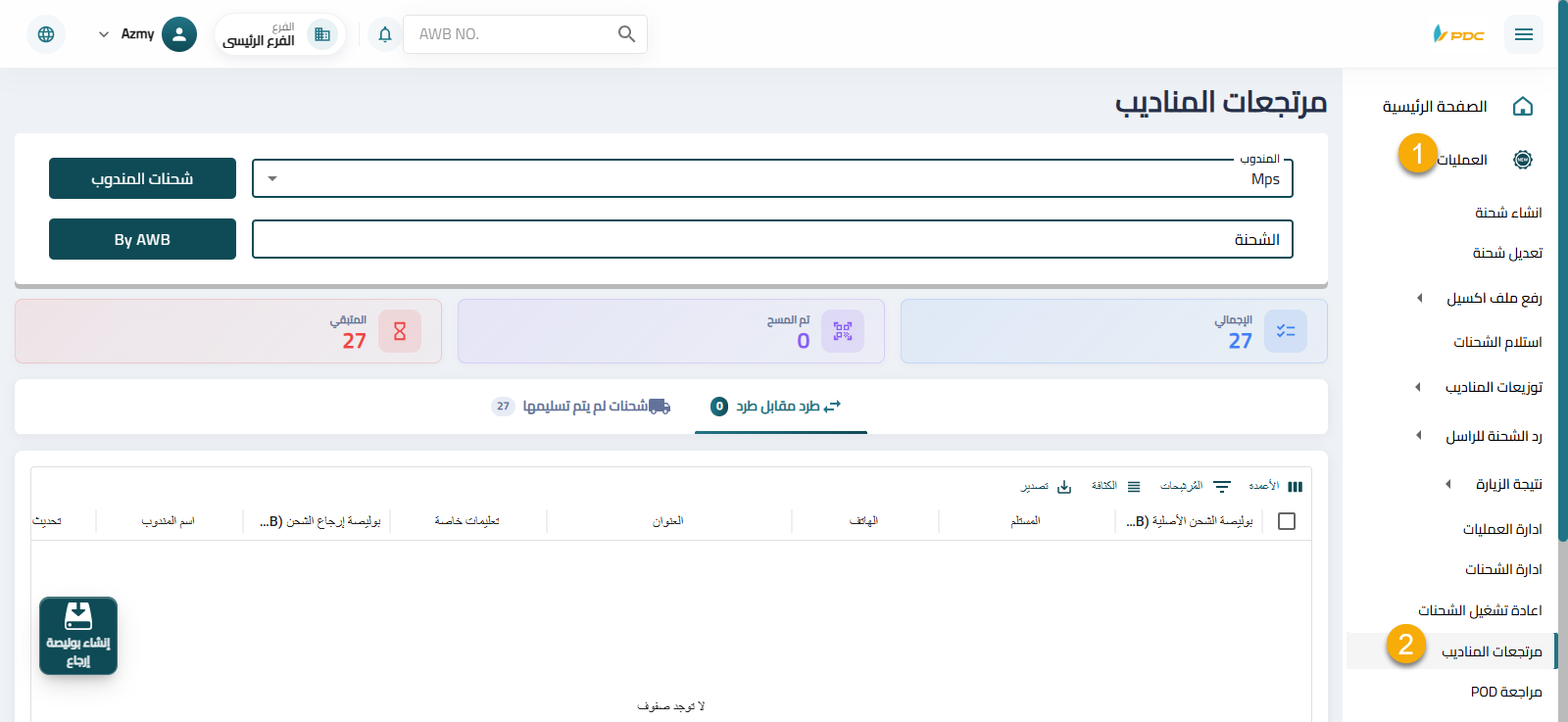
- Open the main menu.
- Go to Operations.
- Select Courier Returns.
Step 2: Exchange Shipments Tab
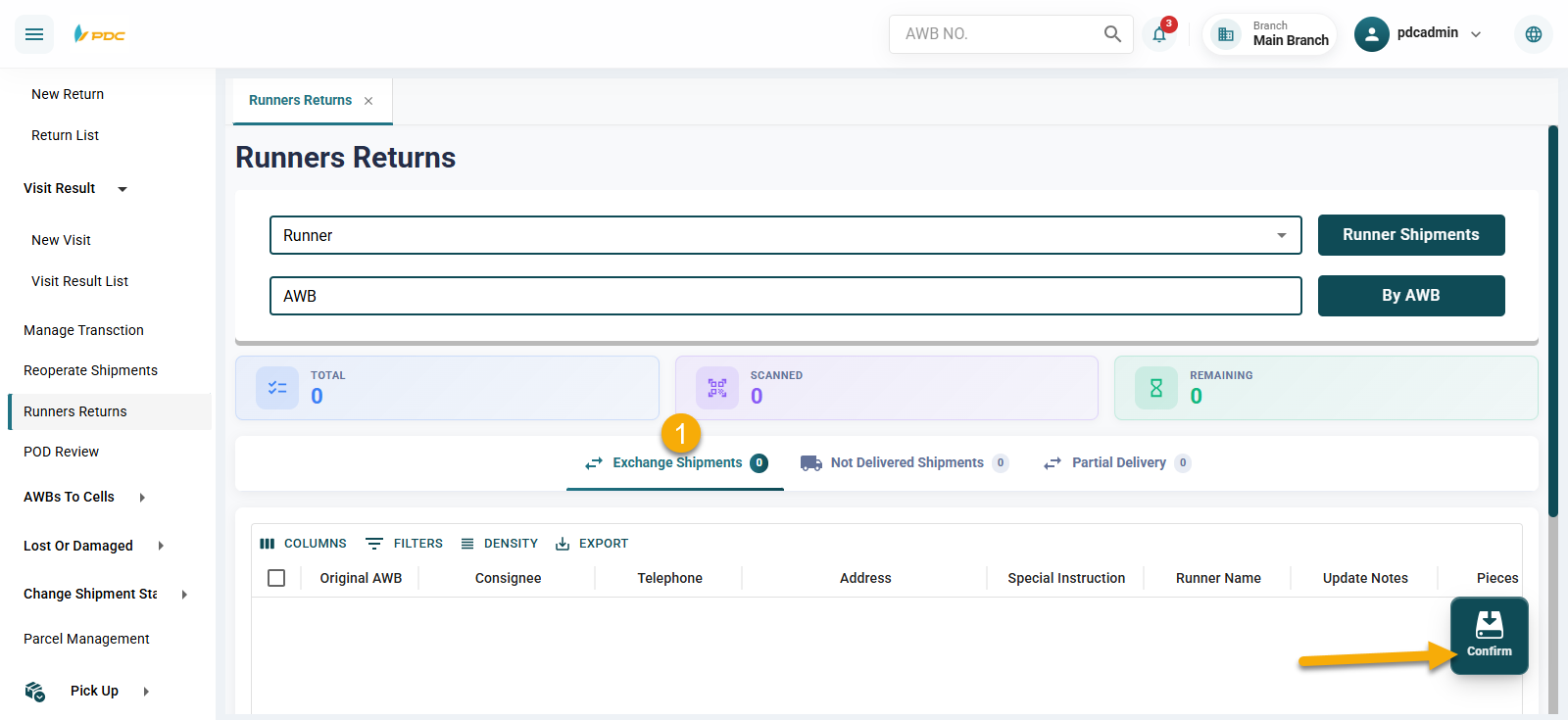
Within this screen, there is an Exchange Shipments tab where reverse shipments (Exchange Shipments) returned by the courier are displayed.
This tab allows operations staff to:
- Review exchange shipments
- Confirm receiving them from the courier
How to Use:
- Select the shipment that was exchanged and returned by the courier.
- Click on Confirm to confirm receiving the shipment.
Step 3: Not Delivered Shipments
-
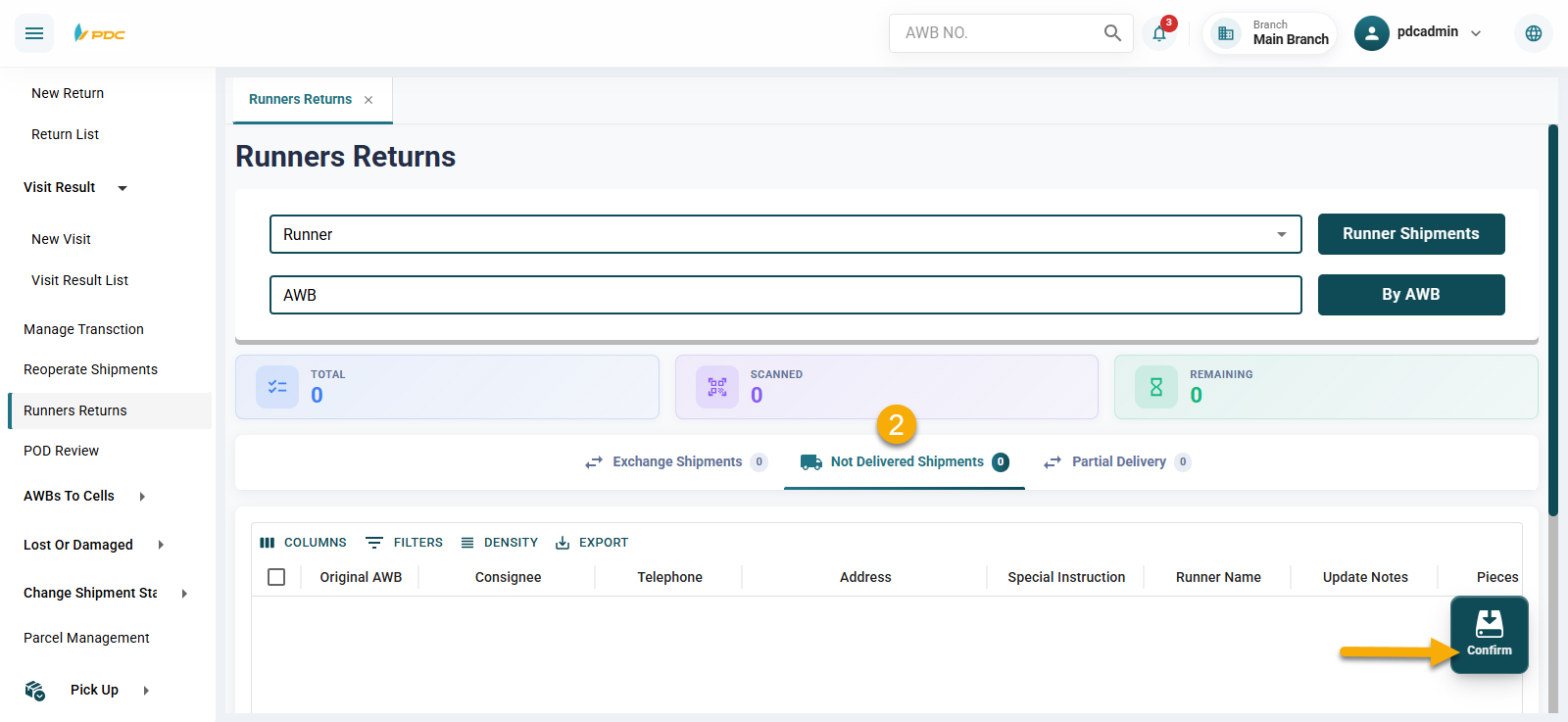
Select the required courier from the list.
-
Click on the Courier Shipments button to display returned shipments.
- Shipments marked as Not Delivered via the mobile app will appear here.
-
After selecting the shipment, click on Confirm to confirm the return.
Step 4: Partial Delivery
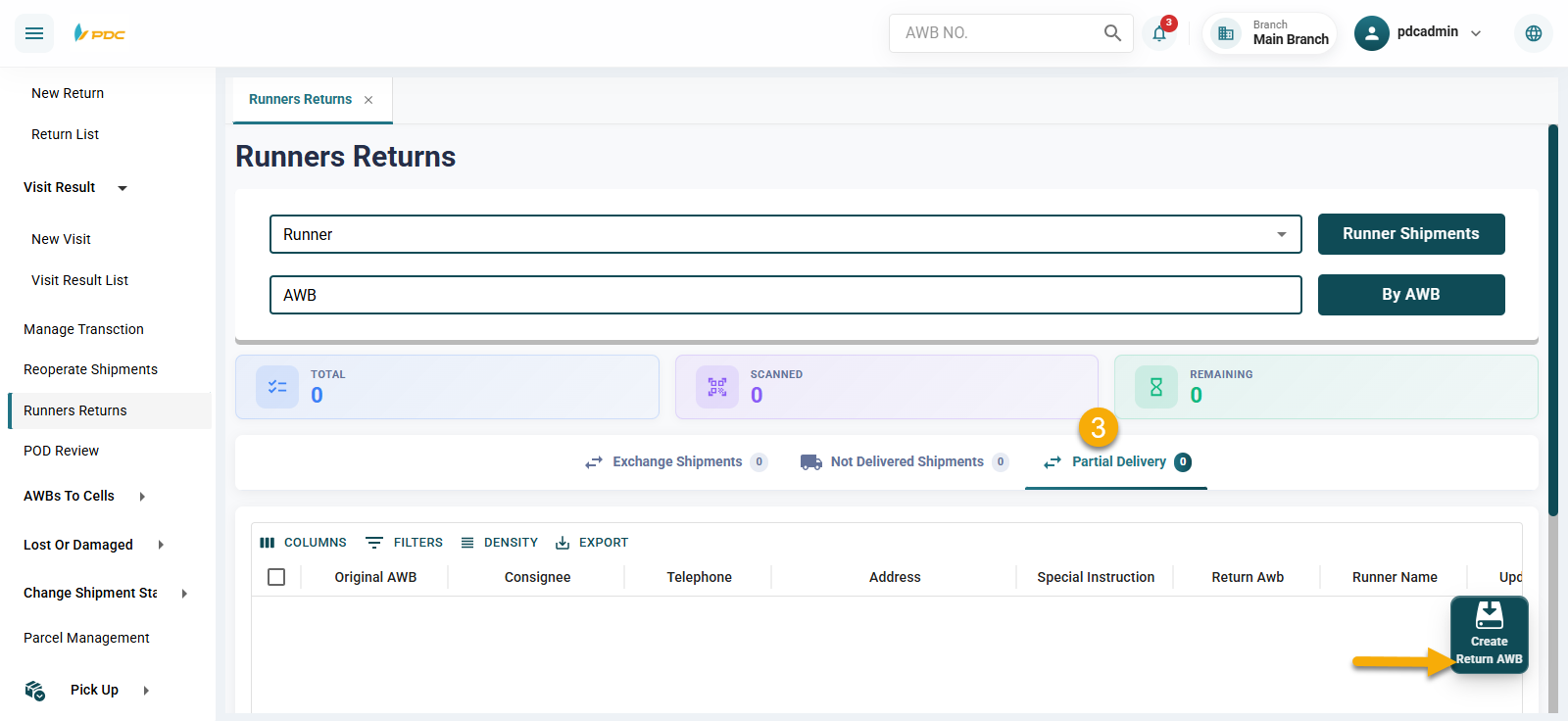
After selecting the courier and clicking on Courier Shipments:
All partial return shipments related to the selected courier will be displayed.
Note:
- This screen helps operations staff verify returned shipments and ensure they match what the courier has actually returned.
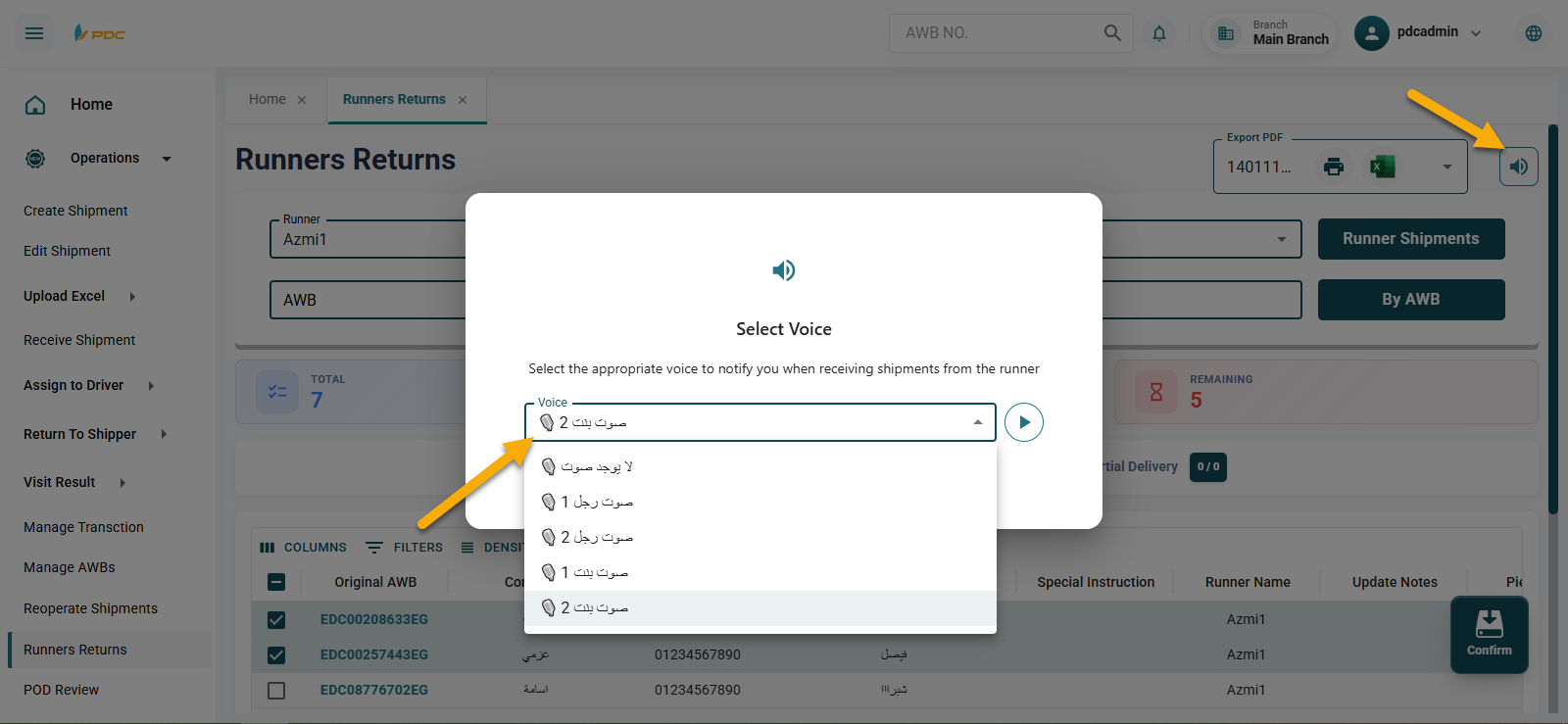
🆕 Notification Sound Selection
The Courier Returns screen provides the ability to select a notification sound from the available system sounds.
This feature helps operations staff while receiving returned shipments from couriers, as different sounds can indicate different shipment statuses, such as:
- Shipments that are assigned/distributed
- Shipments with no updates
- Or other statuses
This feature helps to:
- Speed up sorting and review processes
- Reduce the need for constant visual monitoring
- Improve efficiency when handling large volumes of returned shipments