Manage Transactions
The Manage Transactions screen allows you to reverse up to five different types of operations in the system.
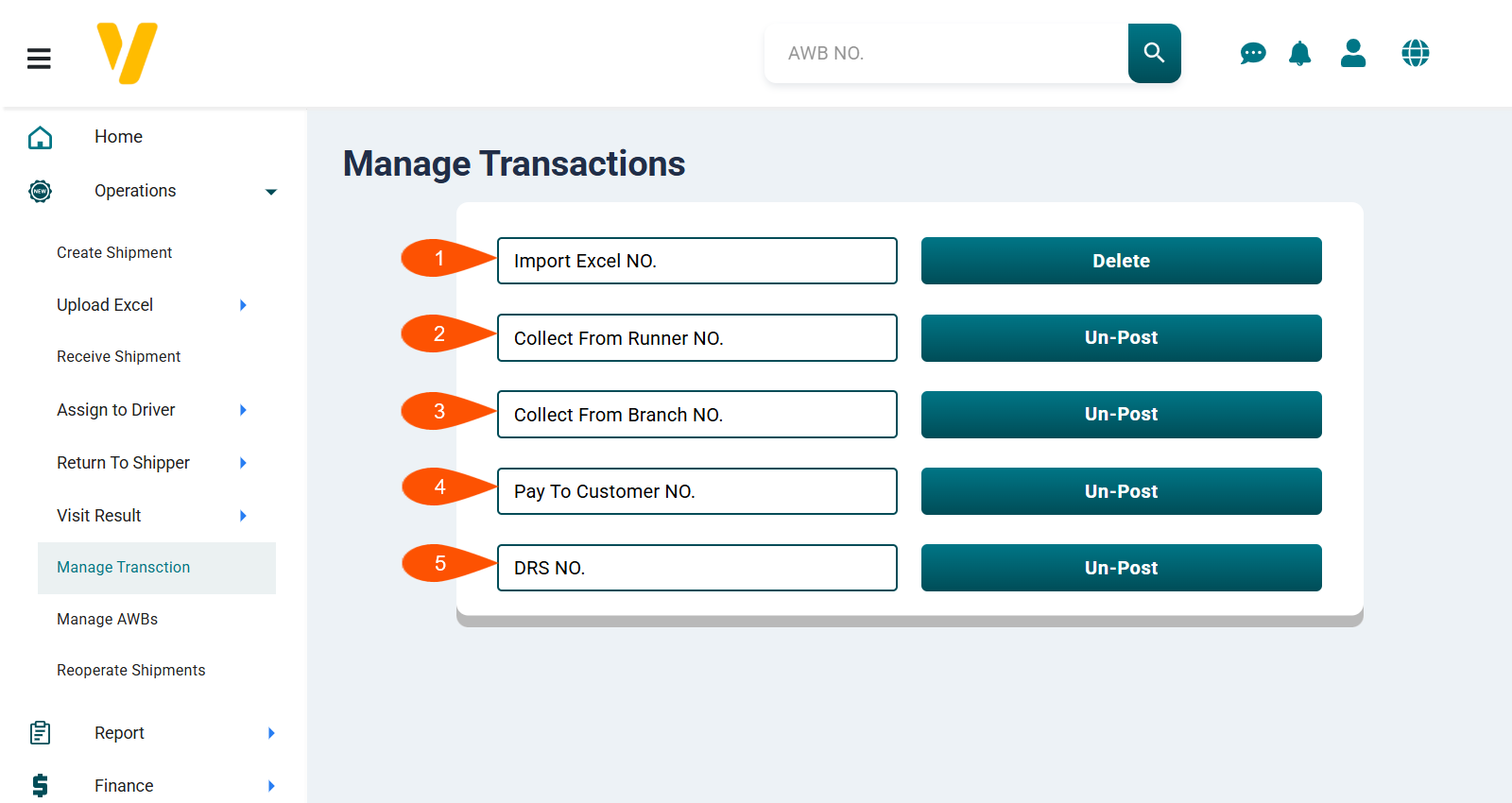
1. Delete an Imported Excel File
If you uploaded an Excel file containing shipments and later discovered incorrect or problematic data after posting, you can go to Manage Transactions, then in the Import Excel File field enter the transaction number and click Delete.
2. Unpost a Collection from Runner
This option is used to unpost collection transactions from a runner that were already posted, allowing you to edit them again.
3. Unpost a Collection from Branch
This option is used to unpost collection transactions from a branch that were already posted, allowing you to edit them again.
4. Unpost a Payment of Collections to a Customer
This option is used to unpost financial payments (collections) that were already posted, allowing you to edit them again.
5. Unpost a Shipment Distribution to Runners
This option is used to unpost DRS shipment distribution transactions that were previously assigned to runners, allowing you to edit them again.
After performing the action, you can make the necessary edits and then repost the transaction.