Parcel Management
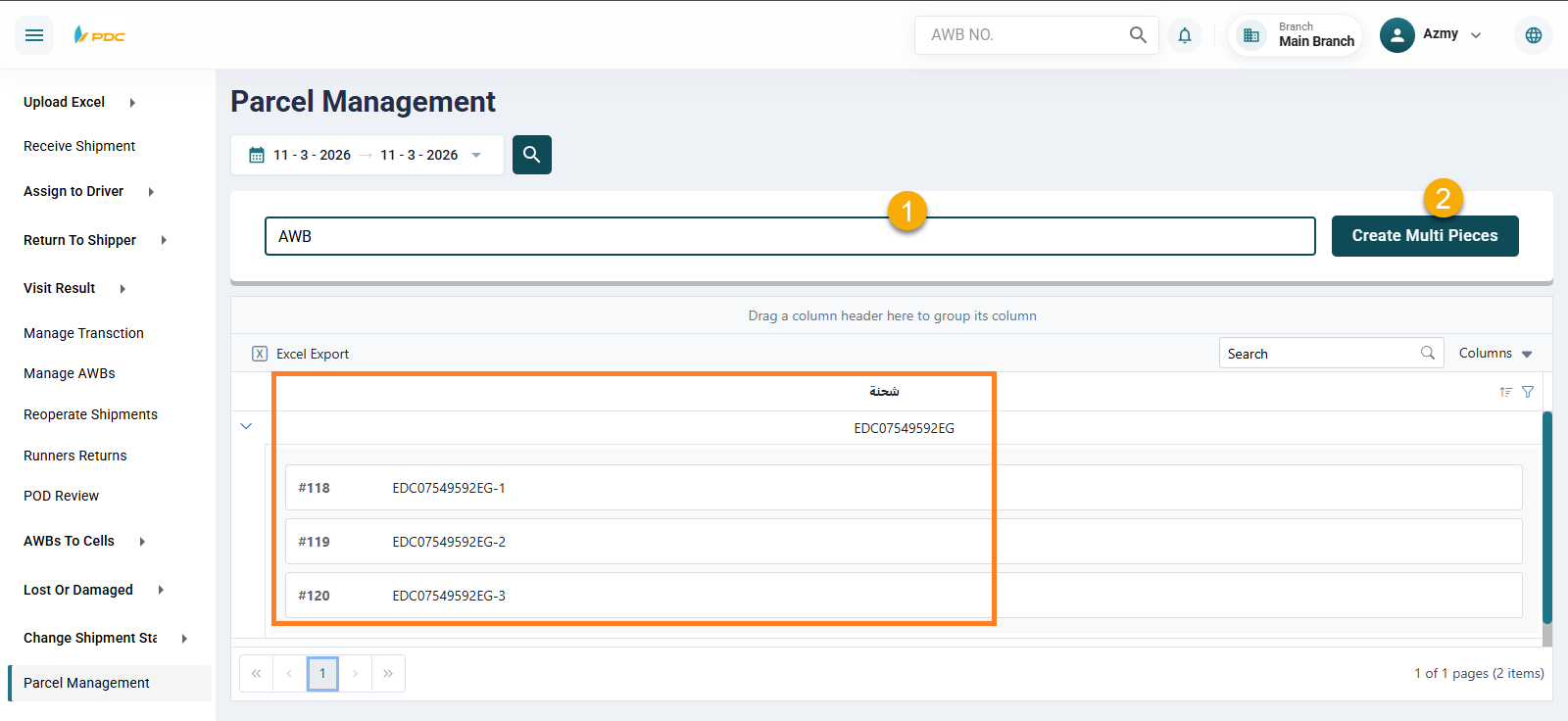
The Parcel Management screen is used for shipments that contain more than one piece.
In such cases, this screen allows the system to generate separate parcel numbers for each piece under the same main shipment number.
Each parcel will appear in the following format:
- Shipment Number – 1
- Shipment Number – 2
- Shipment Number – 3
and so on, depending on the number of pieces included in the shipment.
How to Use the Screen:
- Enter the Shipment Number.
- Click on Create Multiple Parcels.
The system will then automatically generate parcel numbers for each piece associated with the shipment.