Add a New AWB Status
To create a new Air Waybill (AWB) status:
- Go to the Statuses page via:
Settings→Shipment Statuses. - Click the
Add Statusbutton at the top of the statuses table.
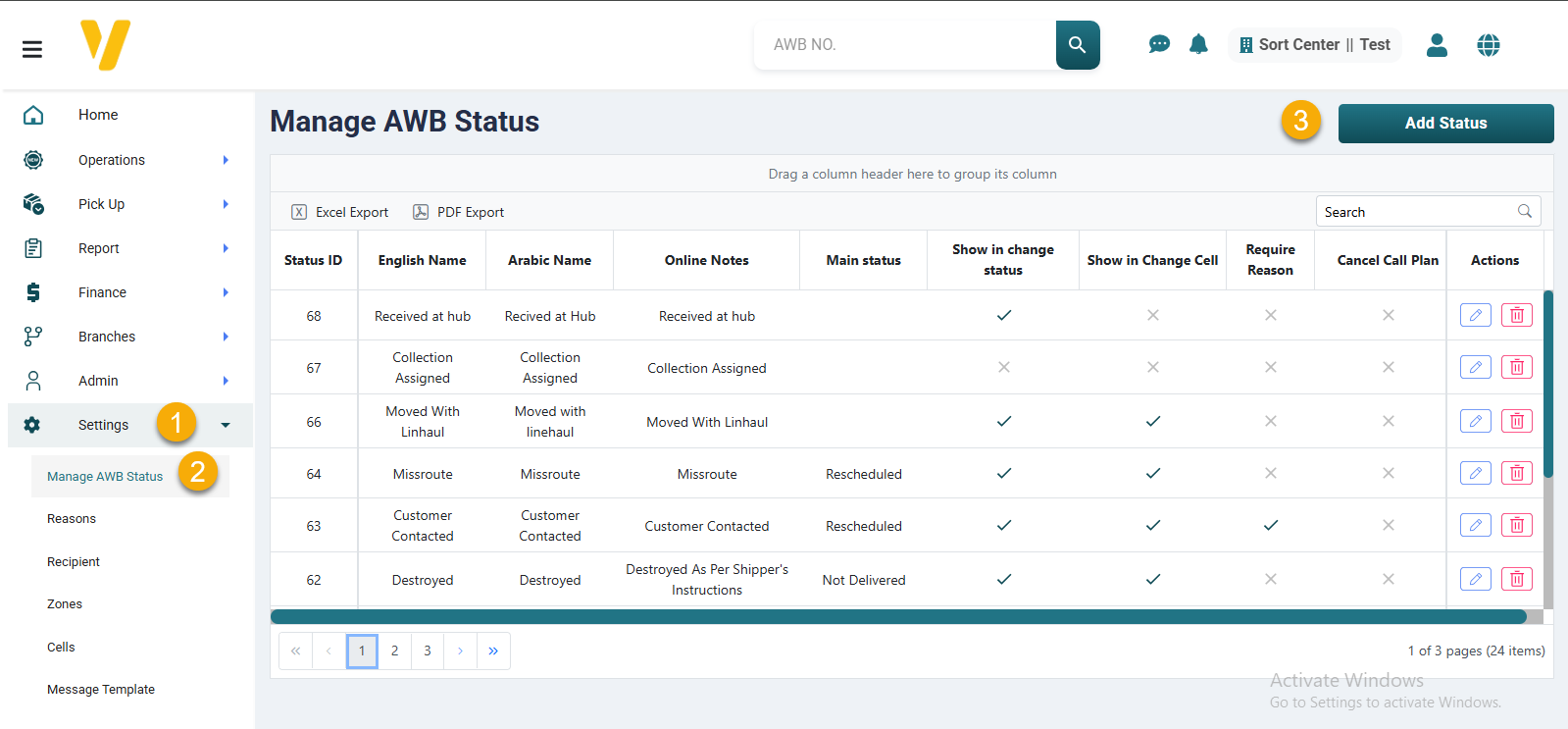
You will be asked to fill in the following fields:
-
English Name / Arabic Name
The status name in both languages, used internally and for user-facing messages. -
Online Description
A short explanation of the status that appears to customers, if needed. -
Main Status
Select this option if the new status should be treated as a main or default stage. -
Show in Change Status
Enable this option to make the status available in manual status change operations. -
Show in Change Cell
Enable this option if you want the status to be selectable from quick actions inside tables. -
Require Reason
Enable this option if users must provide a reason when selecting this status. -
Cancel Call Plan
Select this if activating this status should cancel any pending follow-ups or scheduled call plans.
After entering the details, click Save to add the status to the AWB workflow.