Add Failure Reason
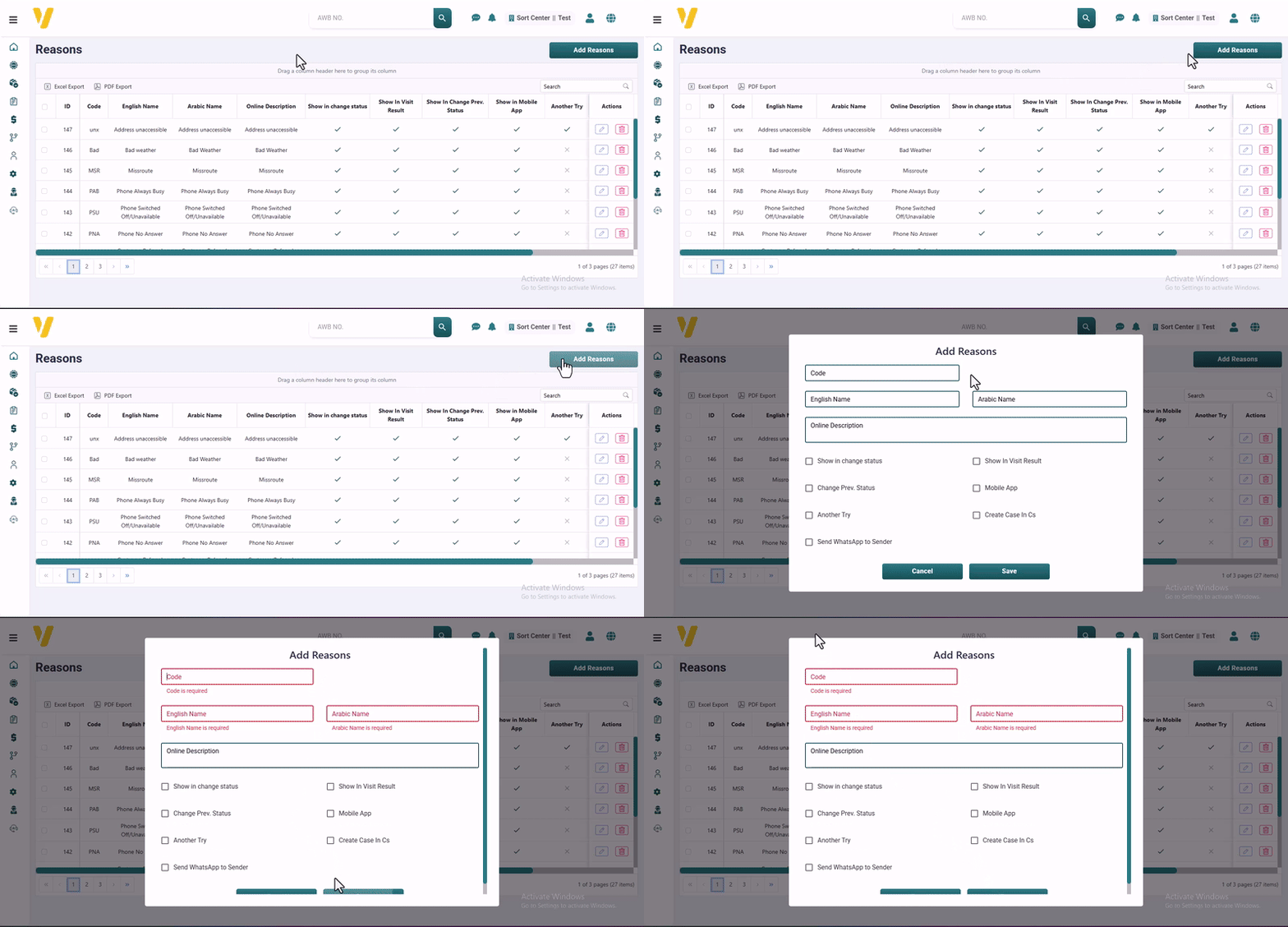
To add a new failure reason:
-
Go to
Settings→Failed Delivery Reasons. -
Click the
Add Reasonbutton at the top of the table. -
A form will appear where you can enter:
- Code and Reason Name (English & Arabic)
- Any optional internal notes or settings
-
Click Save to add the new reason to the list.
The newly added reason will appear in the Failure Reasons table and will be available for couriers to select when a delivery attempt fails.