Access Recipient Categories
To manage recipient categories, follow these steps:
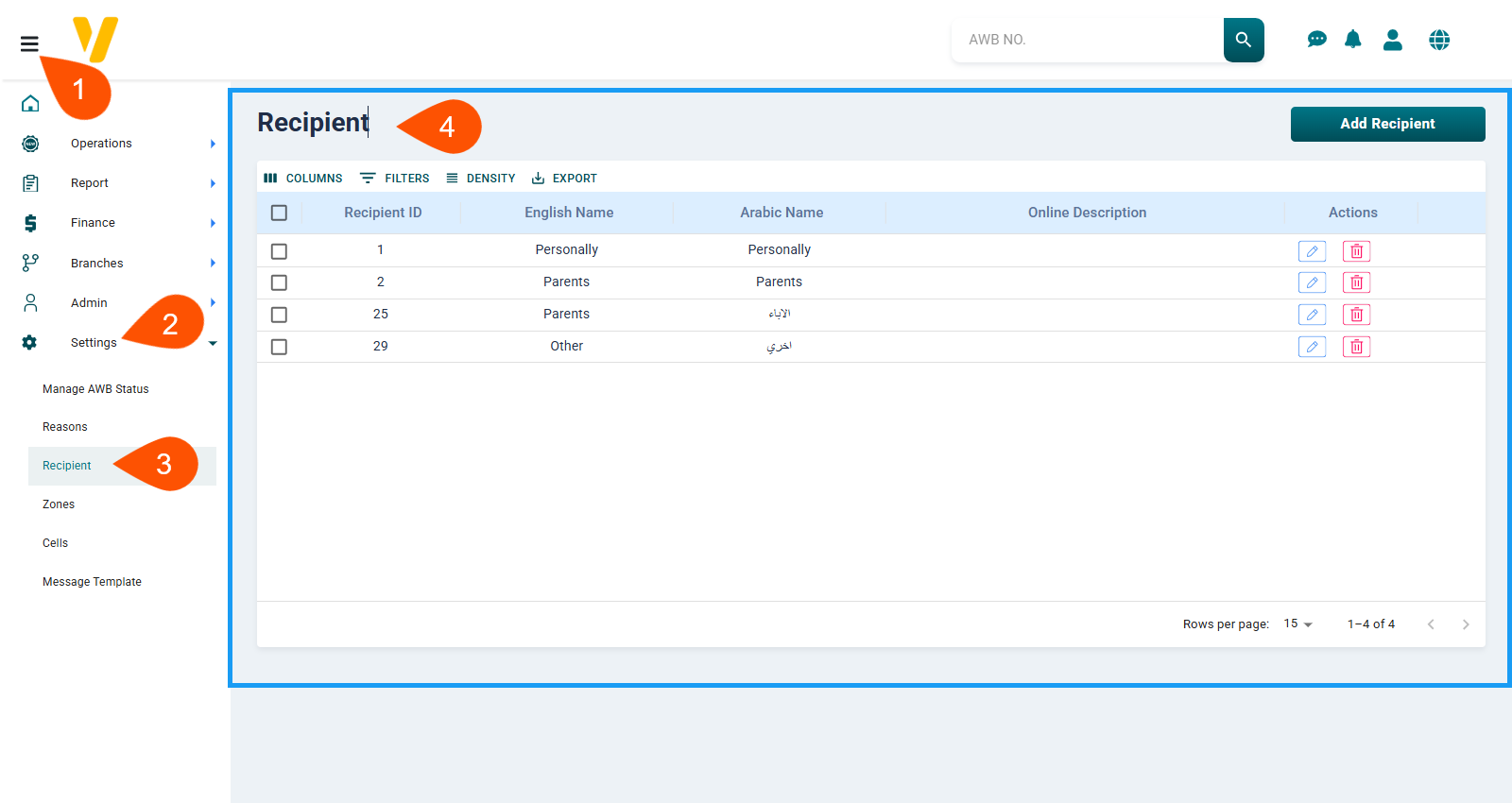
- From the sidebar menu, click on
Settings. - From the Settings list, choose
Recipient Categories. - The Recipient screen will open, where you can manage all recipient categories.
This screen displays all currently defined recipient types in a table format, where each row represents a recipient type with action icons such as edit or delete.