Track Routes
Through the Track Routes page, you can monitor the routes taken by a specific courier within a defined time period.
Access
From the Reports menu, select the Track Routes tab.
Available Options
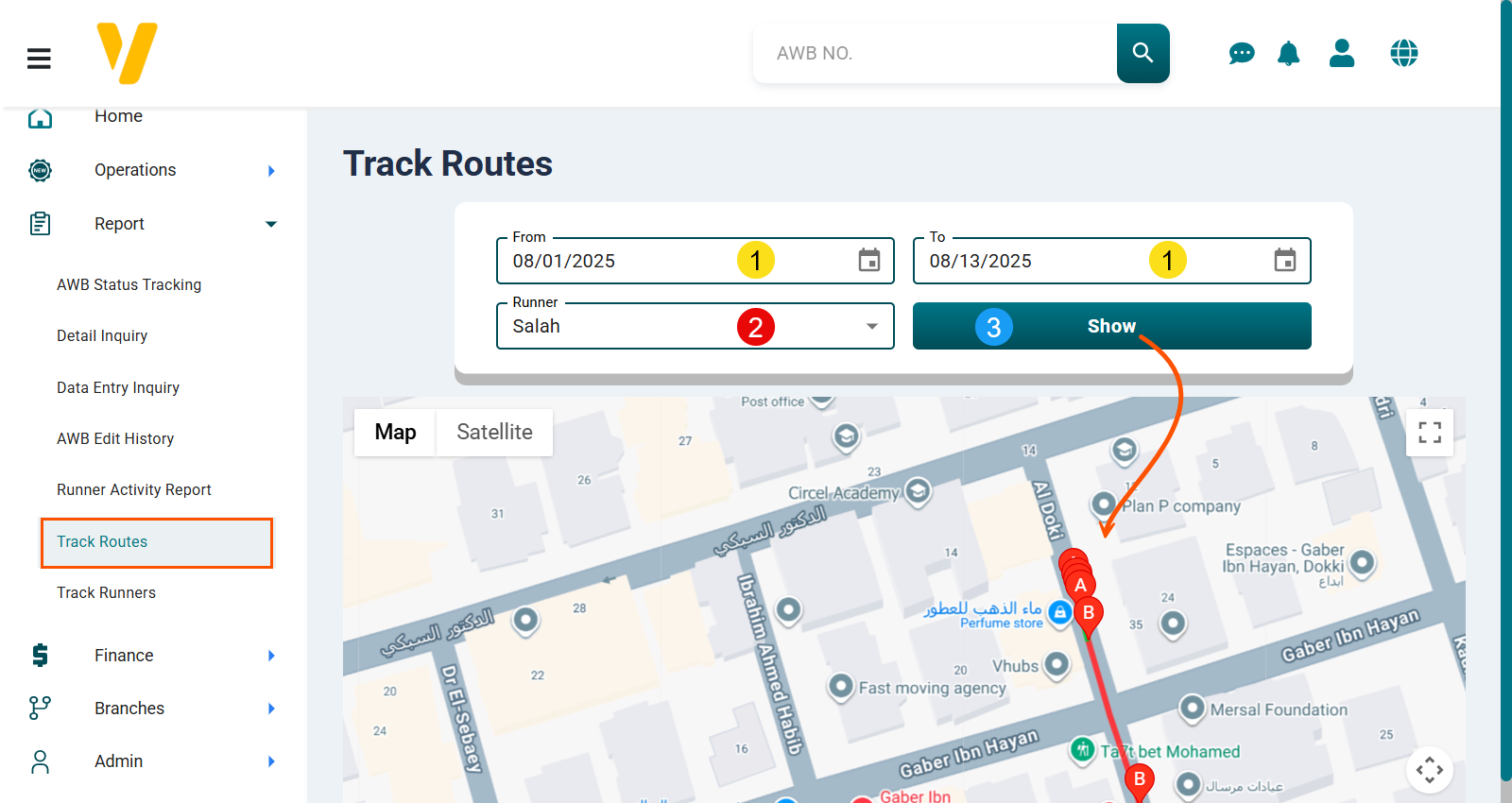
- Date Range — Select the start date and end date for the tracking period.
- Runner — Select the courier whose route you want to track.
- Click Show to display the map with the courier’s route, for example from point A to point B.