Data Entry Inquiry
The Data Entry Inquiry page helps you monitor changes made to a specific client account, identify who performed these changes, and know exactly when they occurred.
Access
From the Reports menu, select the Data Entry Inquiry tab.
Available Options
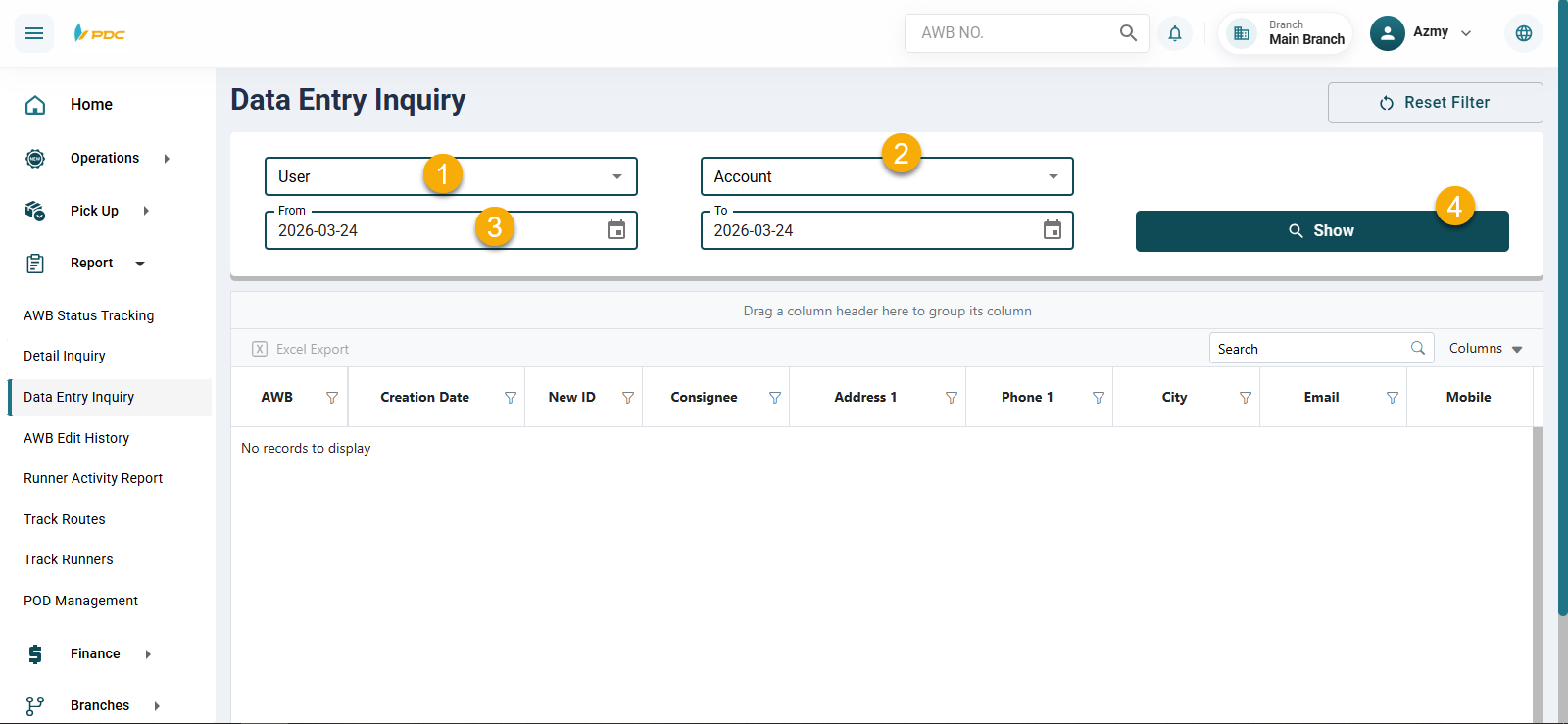
There are three options for search and filtering:
-
User — Select a specific system user, or leave it as is to include all users.
-
Account — Select the client account, or leave it as is to include all clients.
-
Date Range — Select the start date and end date for the search.
-
Click Show to display the results.