POD Management
This screen displays all POD (Proof of Delivery) images uploaded by drivers during delivery operations.
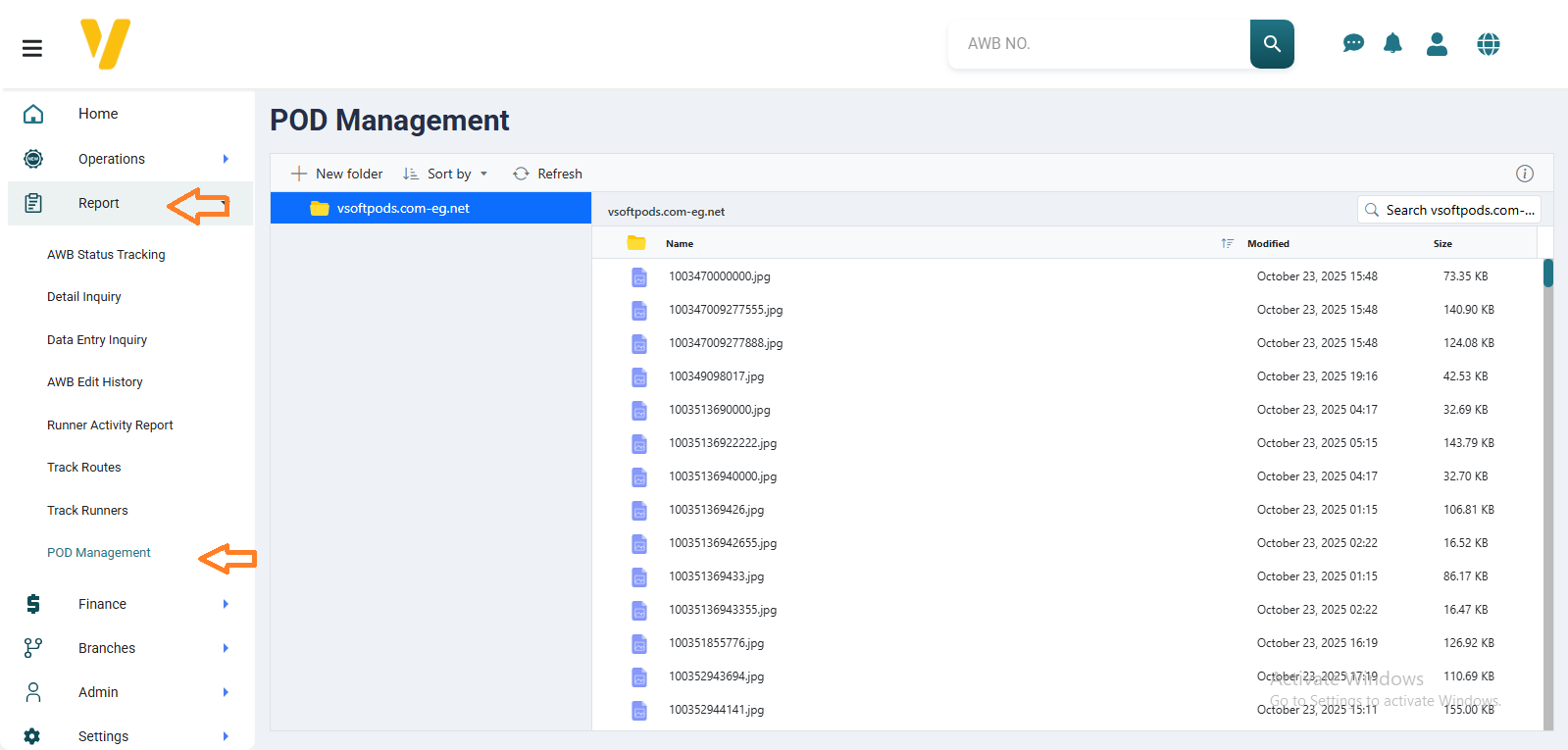 You can access the POD Management screen through Sidebar Menu → Reports → POD Management.
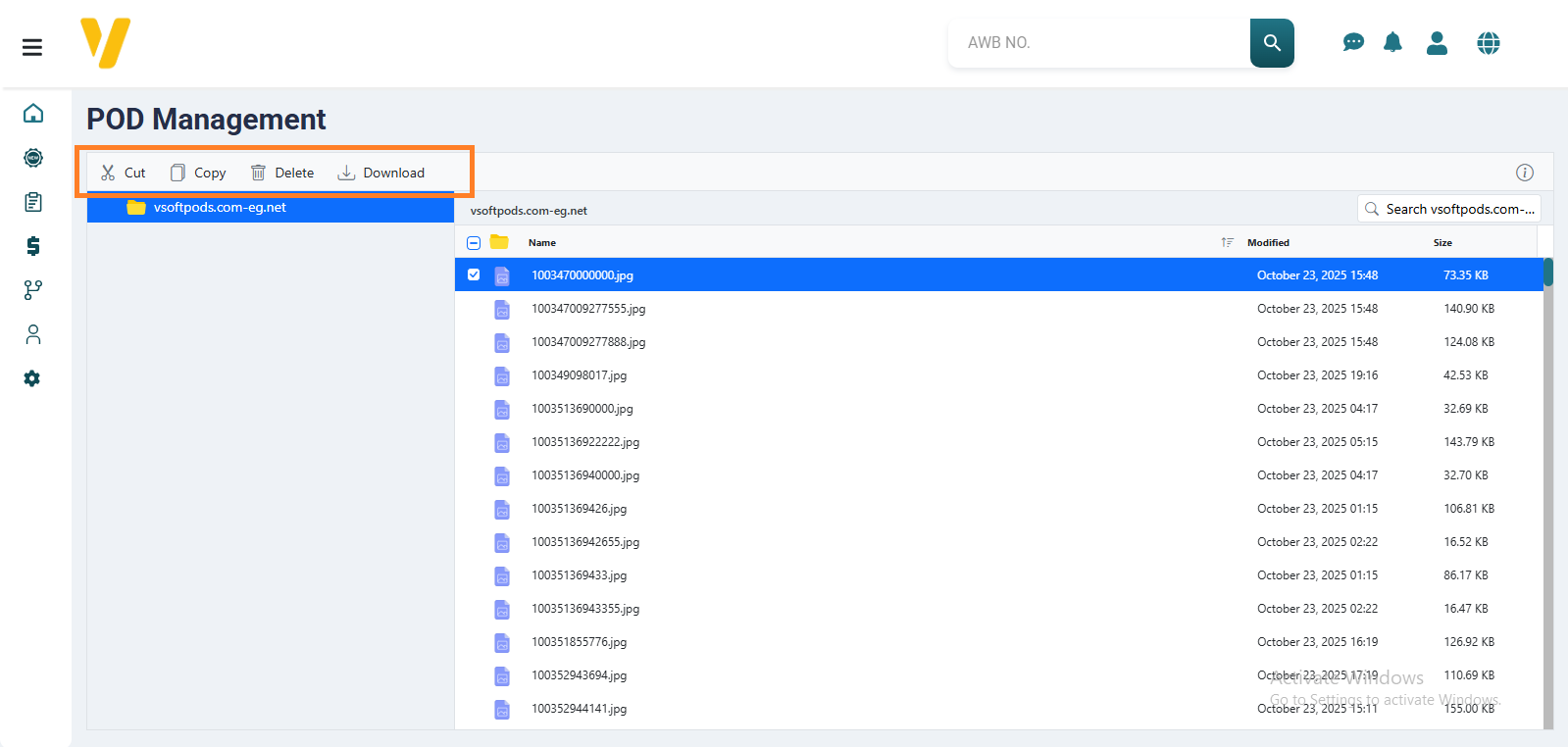 This tab allows the operations staff to manage POD images efficiently, where they can:
- Delete unwanted images.
- Download images for storage or review.
- Crop images to focus on specific parts.
- Copy images for use elsewhere within or outside the system.
This screen helps organize all proof-of-delivery images and ensures quick and easy access for verification and review at any time.