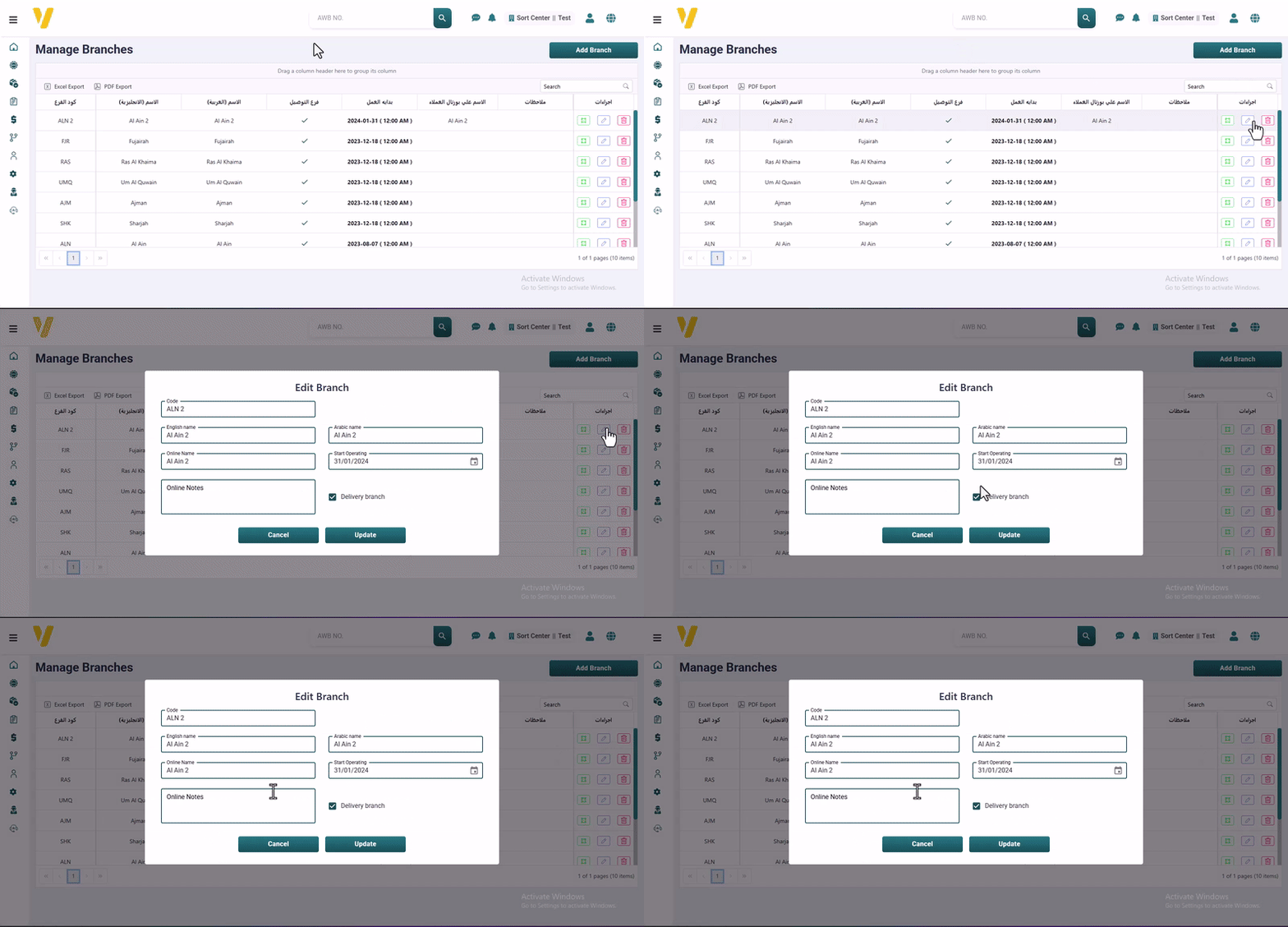
AdminManage BranchesEdit BranchesEdit Branches Open the Manage Branches page. Use the Filter by Branch Name option to quickly find the branch you want to edit. Click on the Edit icon ✏️ in the Actions column to start editing. After making the changes, click Update to save them.