Integration Data
The Integration Data screen is used to configure and manage the data required for system integrations, including the Mapping process between external platforms and the system.
Shopify Integration Mapping
Within this screen, the system provides the integration setup for Shopify.
The page displays the cities imported from Shopify along with their corresponding IDs on the Shopify platform.
The main purpose of this screen is to map each Shopify city to its matching city on the system.
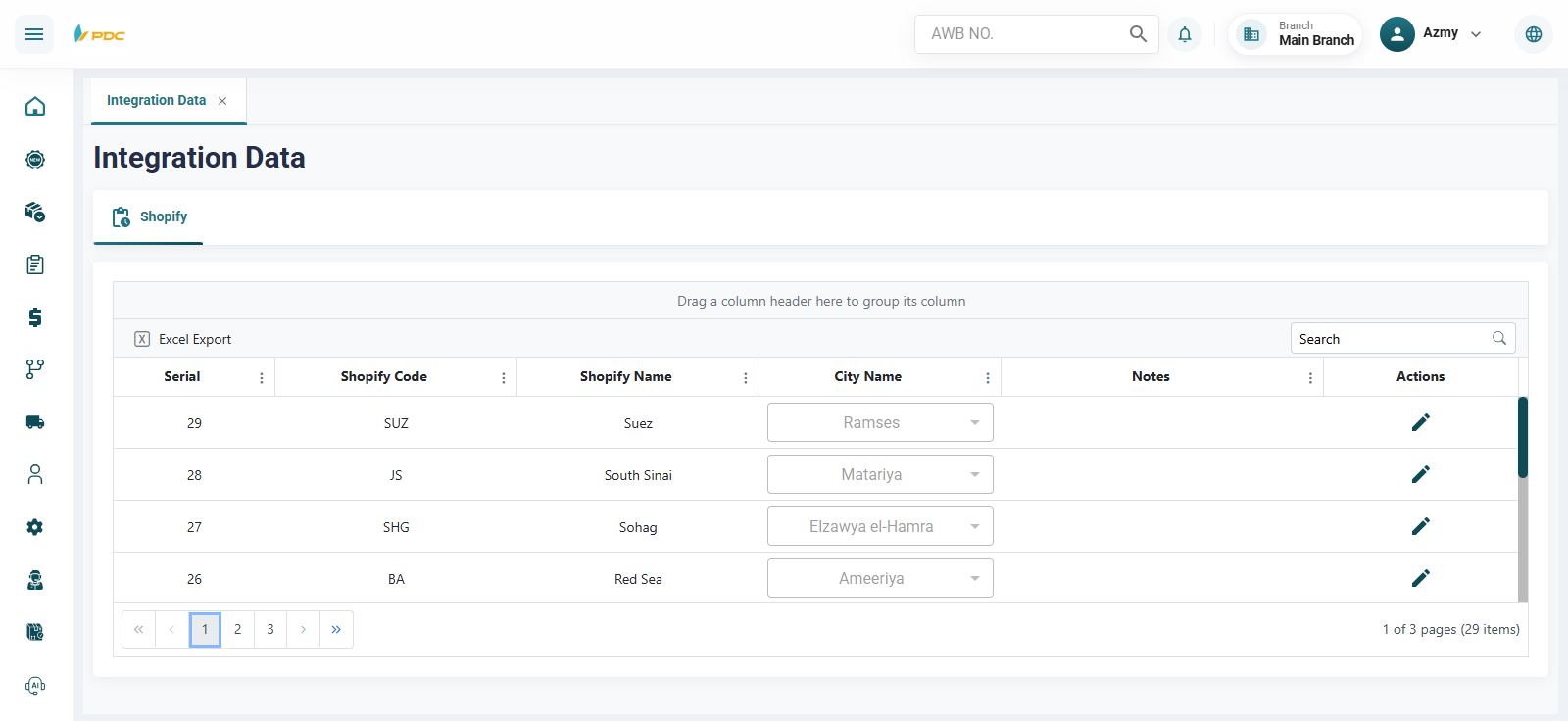
How to Use
- Open the Integration Data screen.
- Locate the required city from the Shopify list.
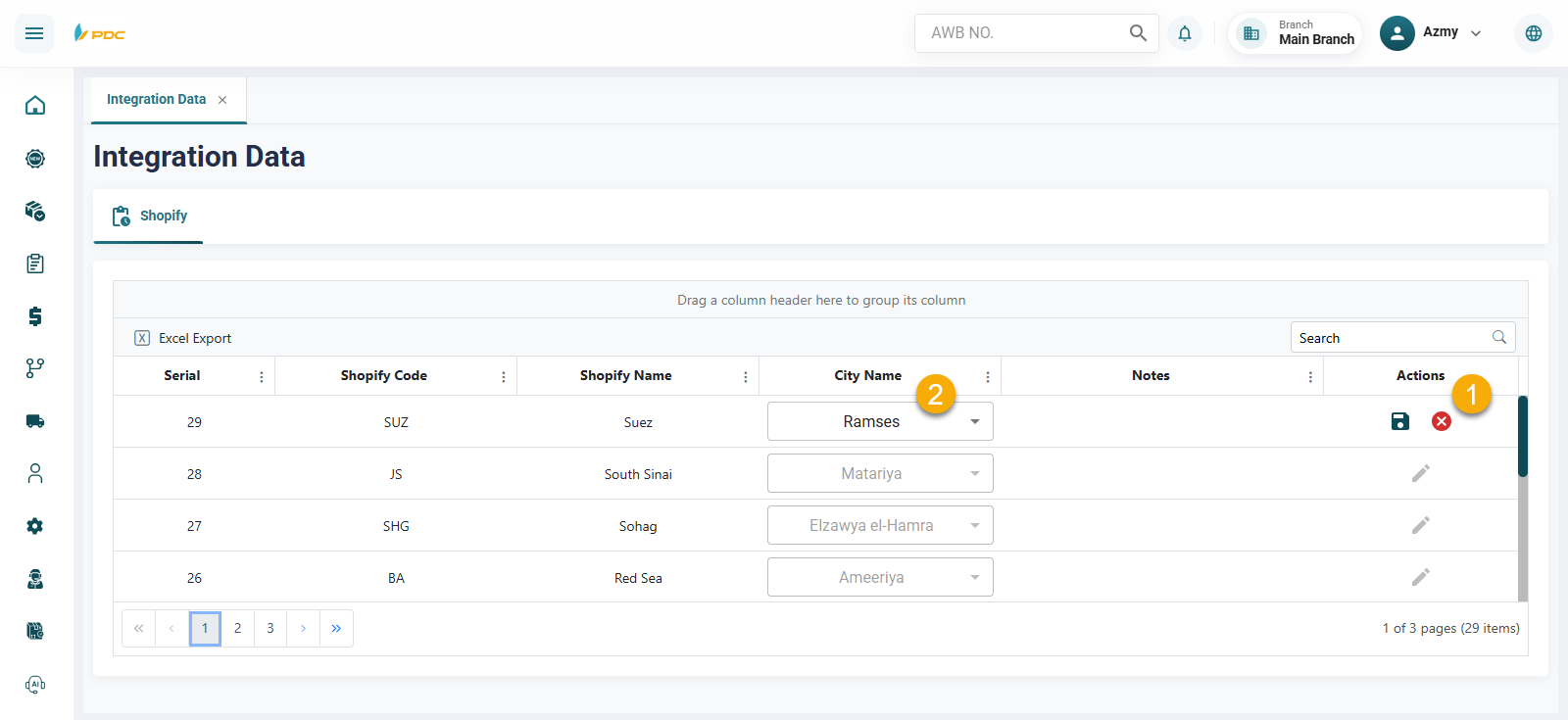
- Click the Edit button in the Actions column.
- Select the corresponding city from the system cities list.
- Click Save to confirm the mapping.
Benefits
This screen helps to:
- Simplify the mapping process between Shopify and the system
- Ensure accurate synchronization of shipment and customer addresses
- Reduce data mismatches between platforms
- Improve the efficiency of integration operations
This feature is essential for maintaining accurate and smooth integration between Shopify and the shipping system.