How to open Company Details
There are two easy ways to access your Company Profile page — choose whichever works best for you!
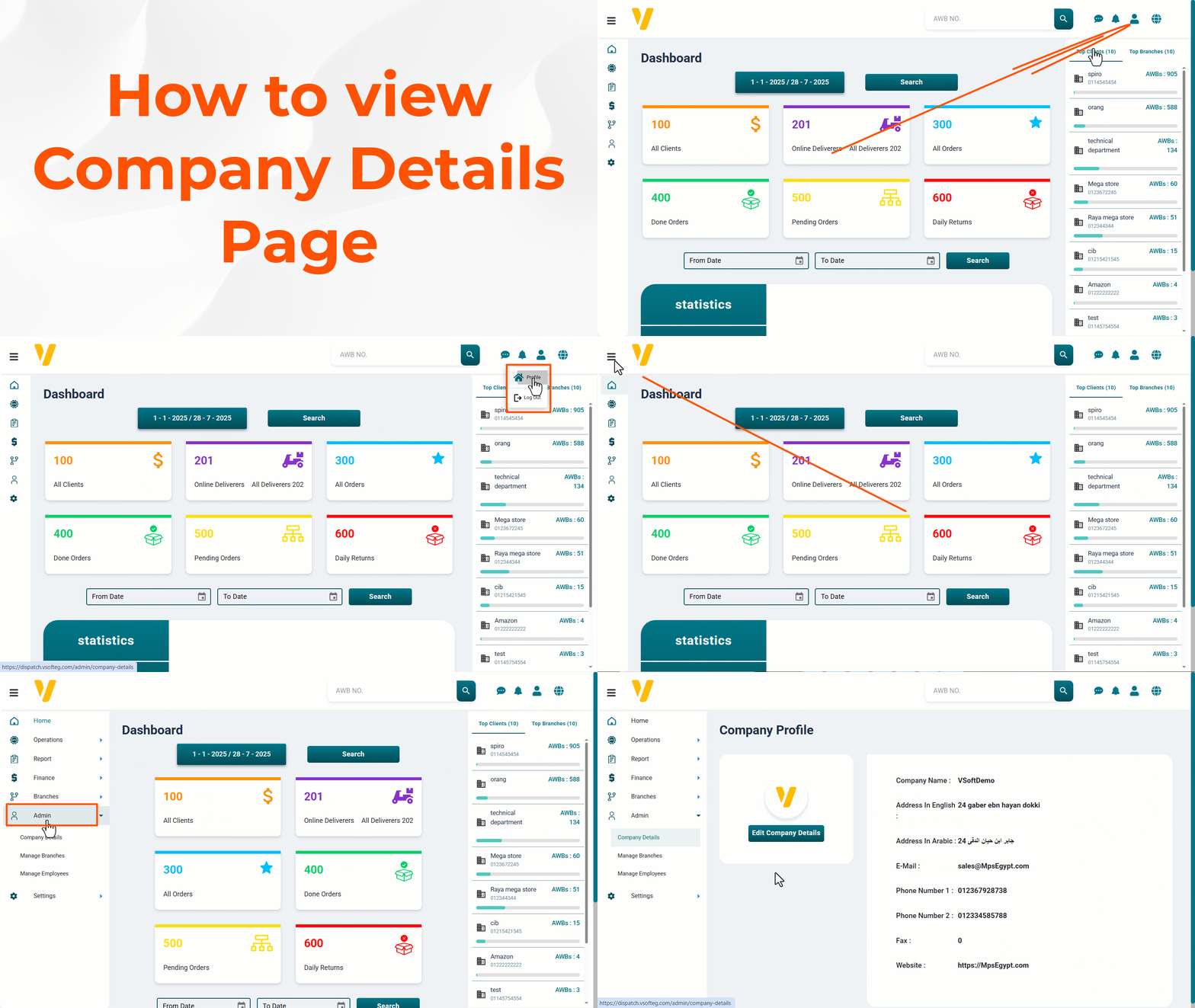
Method 1: Quick Access via Profile Icon
- Click on the Profile Icon — located at the top-right corner of your screen.
- From the dropdown menu, select
Profile.
Method 2: Through the Admin Panel
- Navigate to the Sidebar Menu.
- Click on the
Adminsection. - Under Admin, select
Company Details.
💡 Tip: Both methods lead to the same Company Profile page, so use the one that fits your workflow best!