How to edit company info
To update your company profile, go to the Company Profile page and click Edit Company Details. You can then modify any of the following fields:
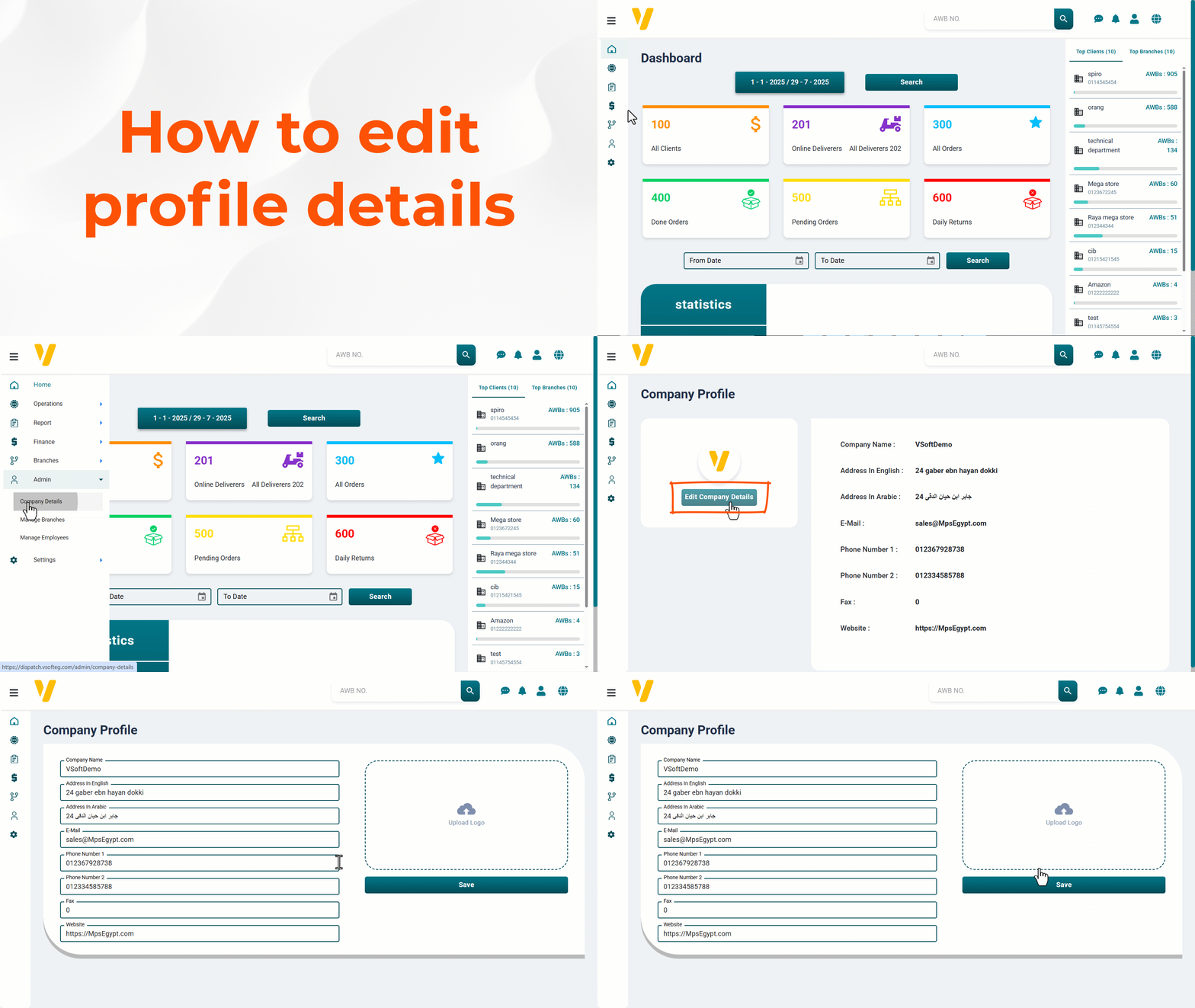
- Logo
- Company Name
- Address In English
- Address In Arabic
- Phone Number 1
- Phone Number 2
- Fax
- Website
💾 Don't forget to save after editing the details.