Receive Shipments
This is the second screen in the Branches section, and it is used to receive shipments coming from other branches.
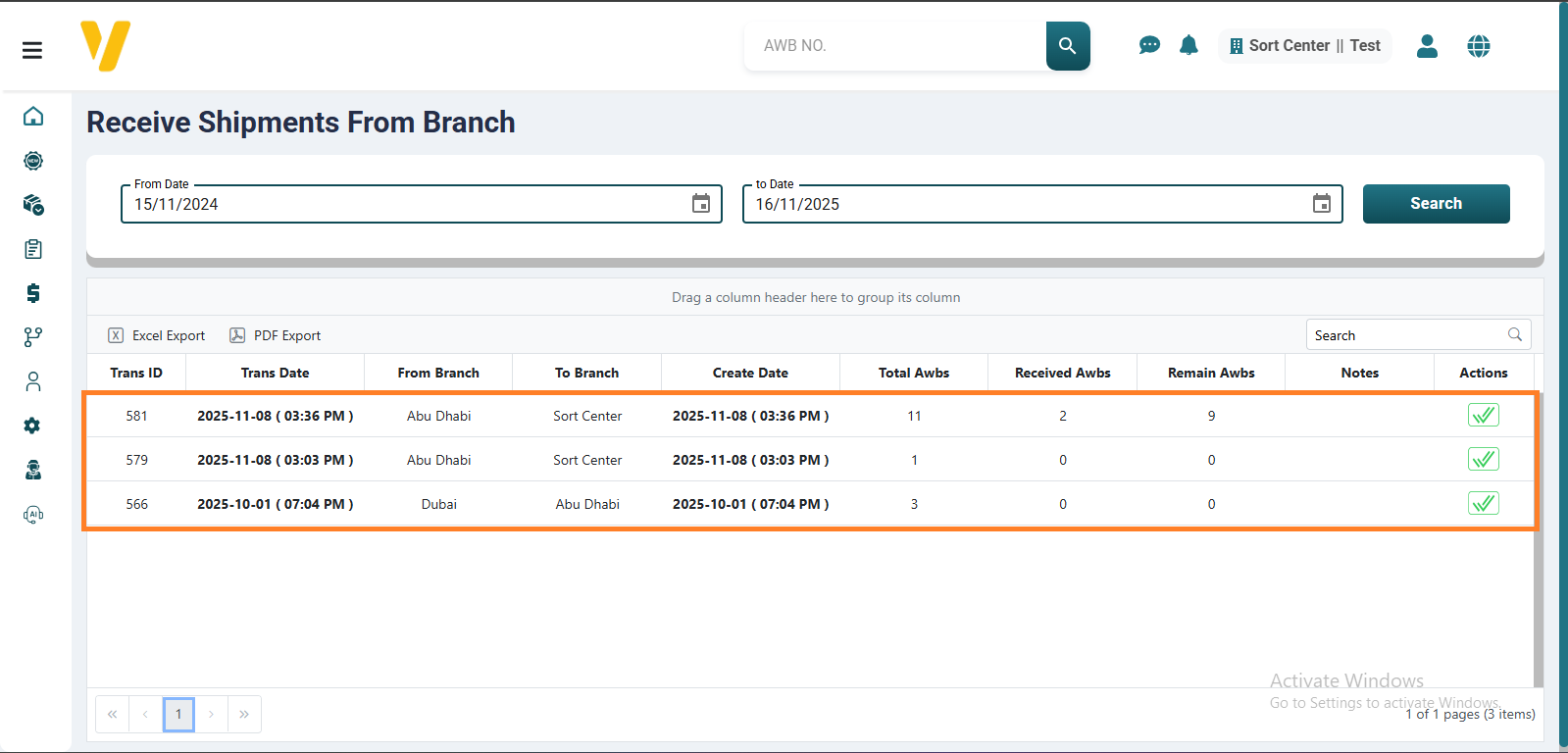
The process starts when the sending branch sends shipments to the receiving branch through the Send Shipments screen.
The result of this action is automatically recorded in the Receive Shipments screen.
At the receiving branch, you need to:
- Verify the total number of shipments listed in the operation.
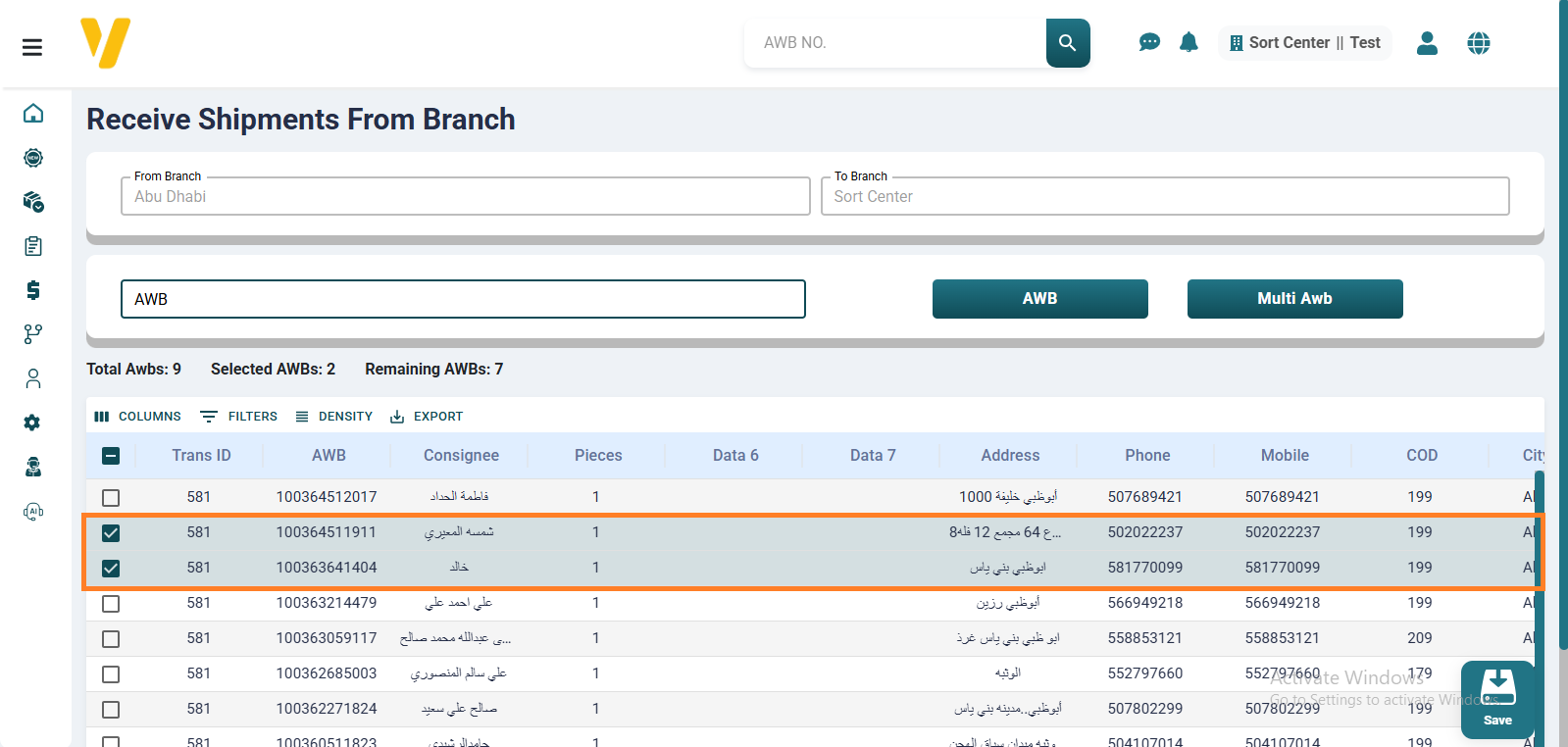
- If all shipments have been received, click ✔ to confirm receipt of the entire operation.