Assign Pickup to Courier
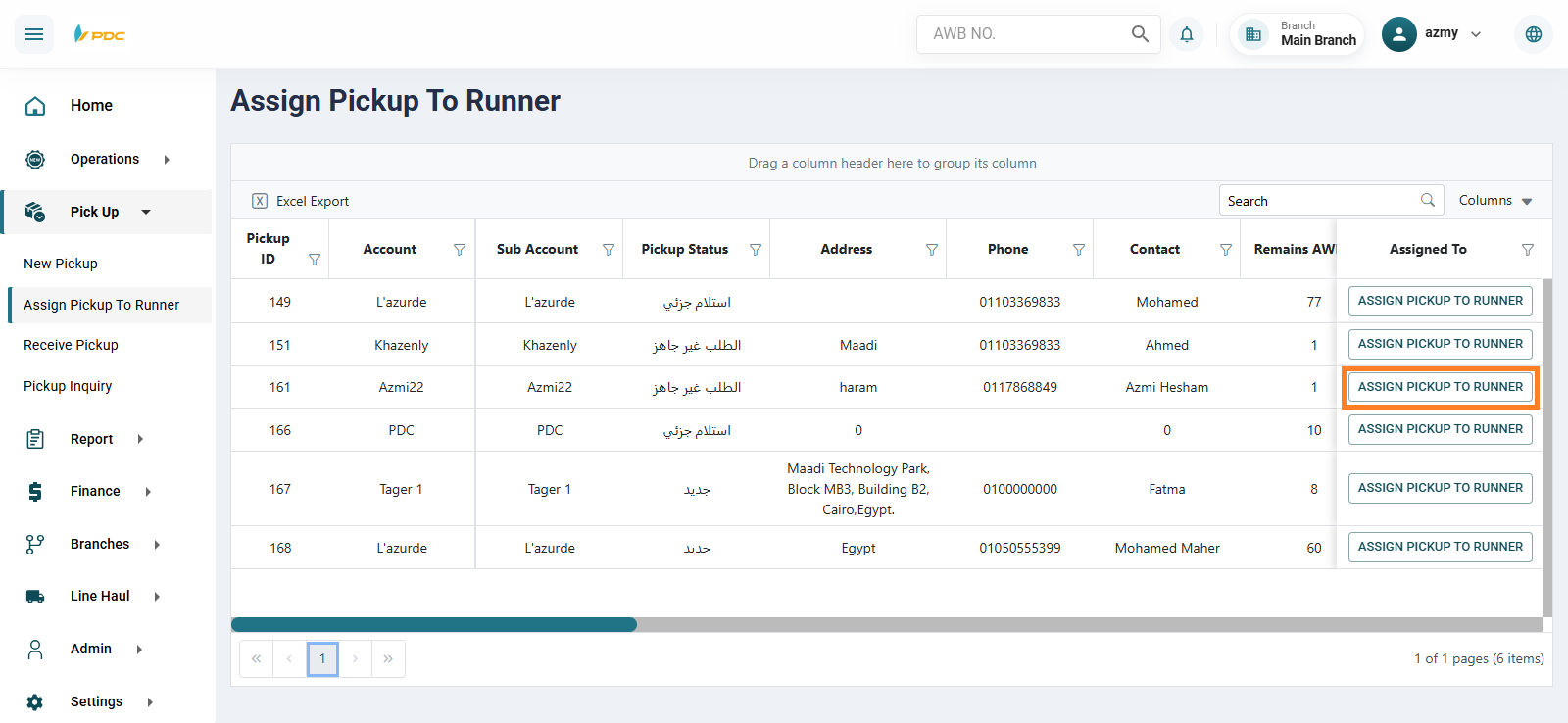
The Assign Pickup to Courier screen is used to distribute pickup requests that were previously added to the Dispatch System among couriers.
This page displays all newly created pickup operations that haven’t been assigned yet, allowing the user to select the appropriate courier for each task.
Assignment Steps
-
Select the required pickup operation from the list.
-
Click on the Assign Pickup to Courier button.
-
A new window will appear to choose the branch and the courier who will handle the pickup.
-
After selecting the details, click Assign Pickup to Courier.

Once you click Assign Pickup to Courier, the pickup operation will disappear from the system’s list and will automatically appear in the Courier Application, allowing the courier to start working on it.