Vehicles
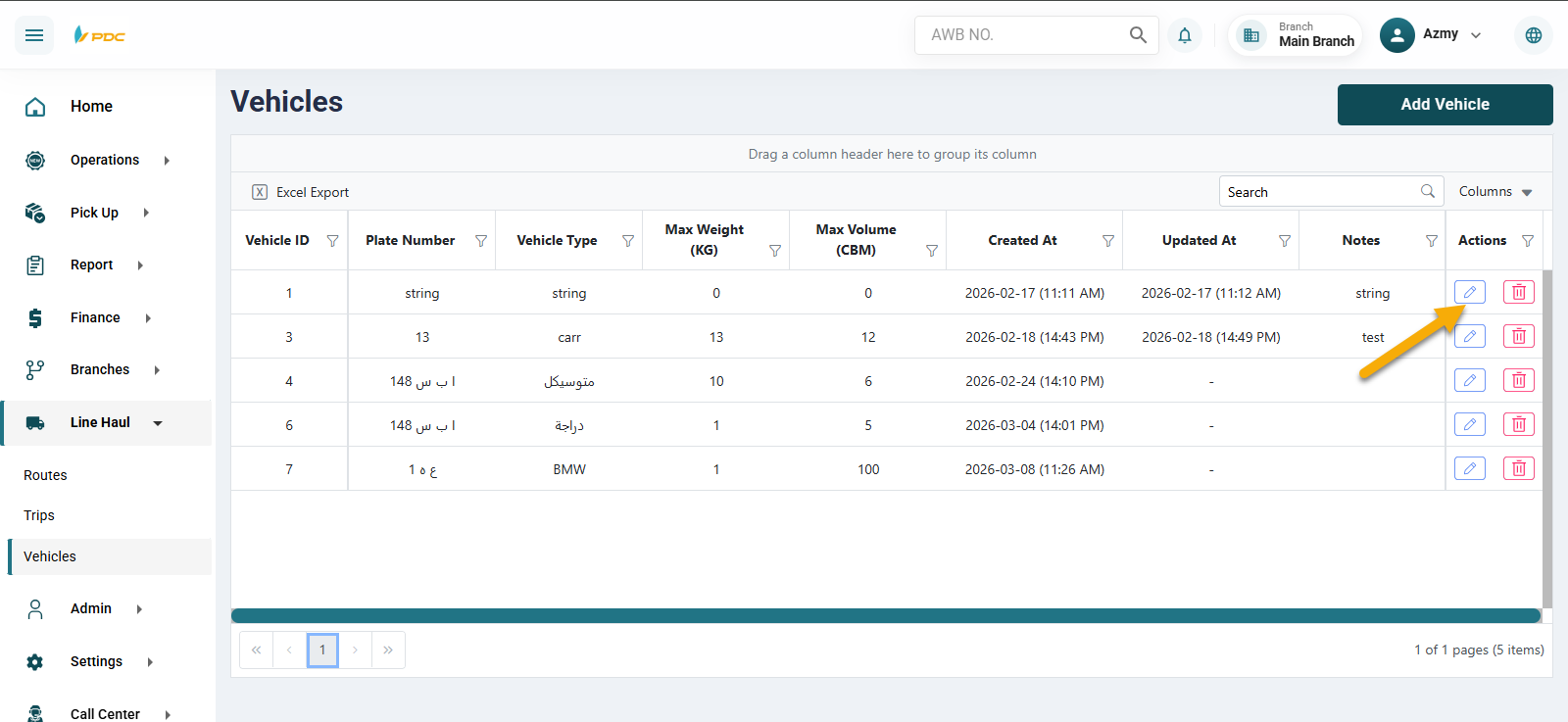
Now we will explain the Vehicles section. This screen is used to add and manage the vehicles available in the company, which will later be linked to trips in the Line Haul.
All you need to do is click on Add Vehicle, then enter the vehicle details:
- Vehicle Type
- Plate Number
- Maximum Weight (kg)
- Maximum Volume (m³)
- Notes (if any)
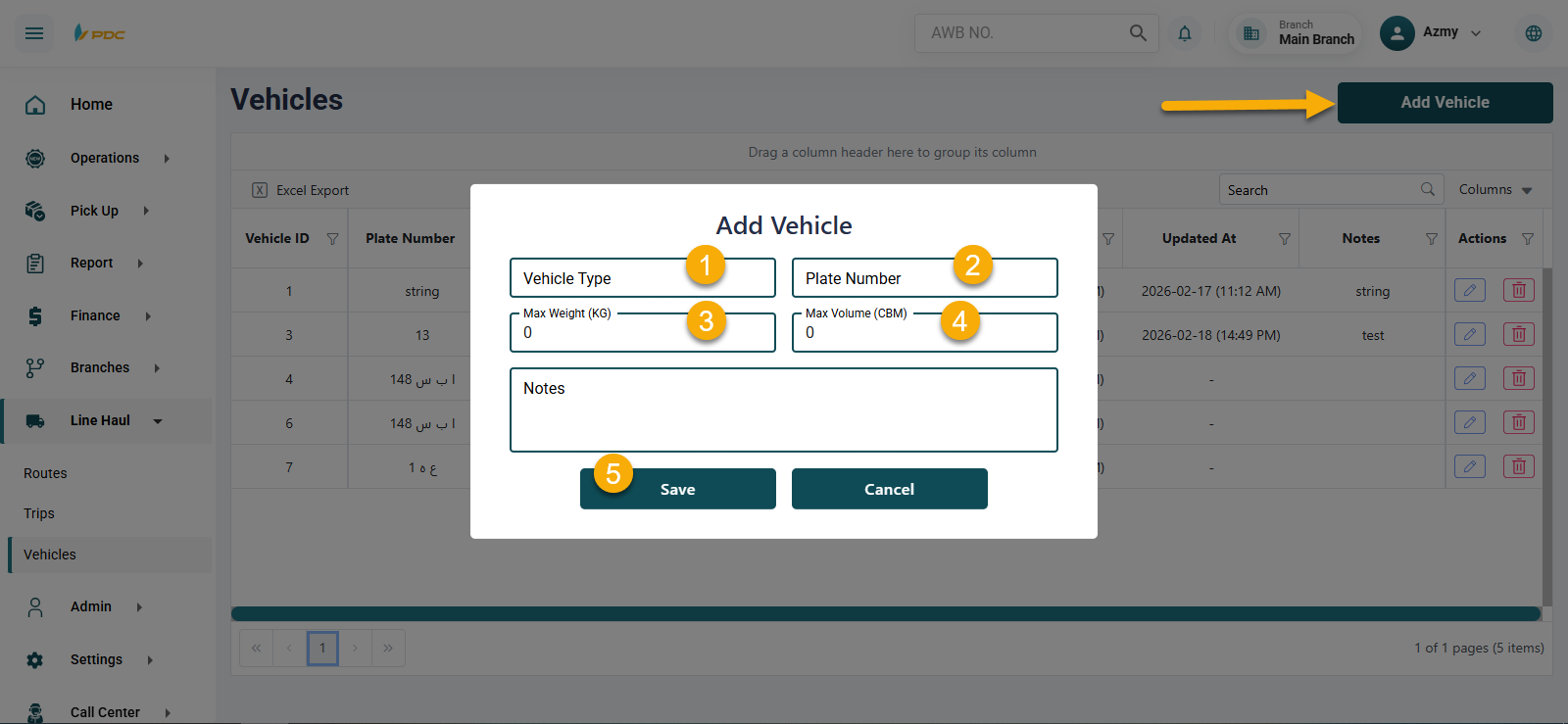
After entering the data, click Save to add the vehicle to the system.
You can also edit or delete any vehicle using the action buttons in the Actions column.