Shipment Notes
The Shipment Notes screen allows customer service agents to add and manage notes related to specific shipments.
This feature helps in documenting important details, follow-ups, or special instructions, making it easier to refer back to them later and avoid missing any critical information.
It also improves communication between teams by keeping all relevant notes centralized and linked to each shipment.
How to Use
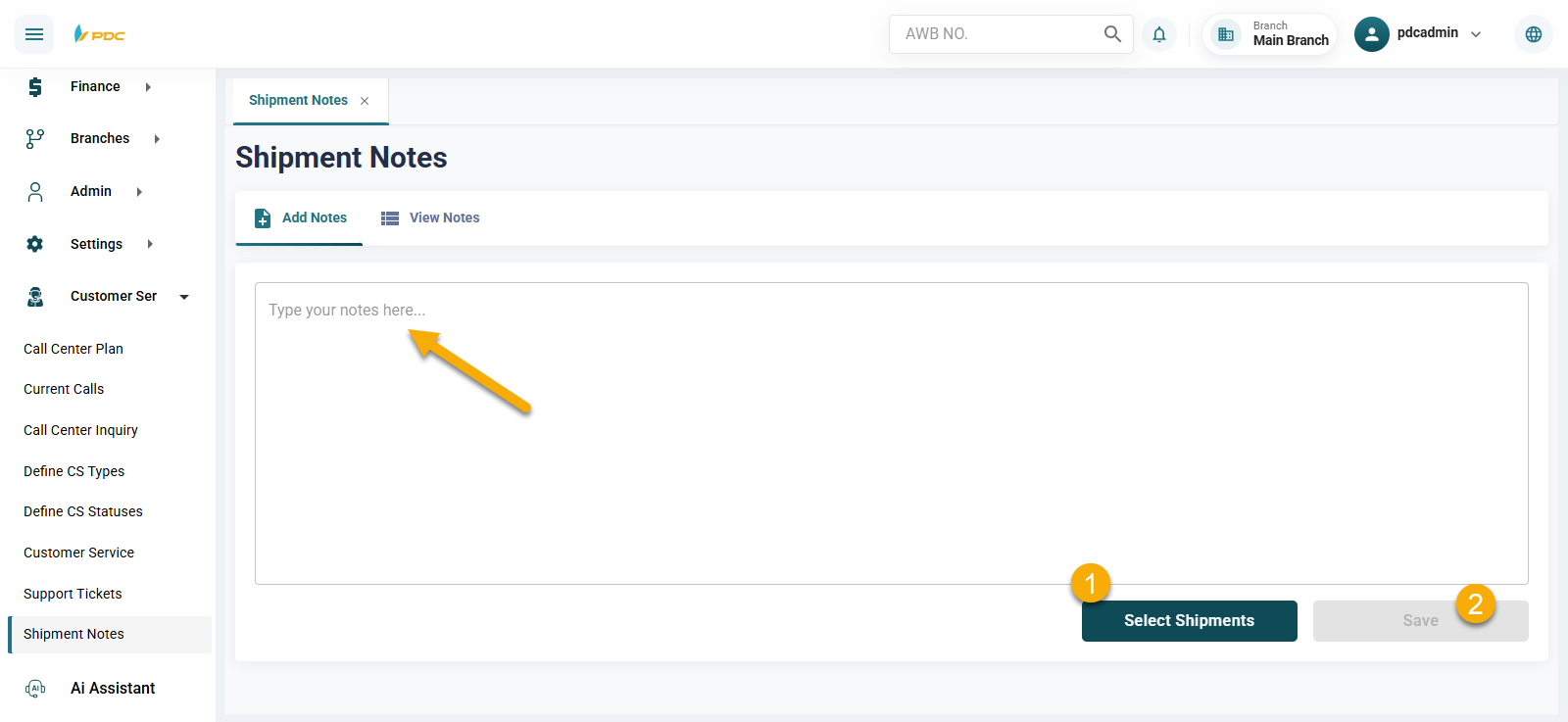
- Enter the note you want to add.
- Enter the shipment number(s) in the shipment selection field.
- Click Save to store the notes.
After Saving
- The notes will appear in the Notes View section for the user.
- The notes can be **reviewed later when needed.
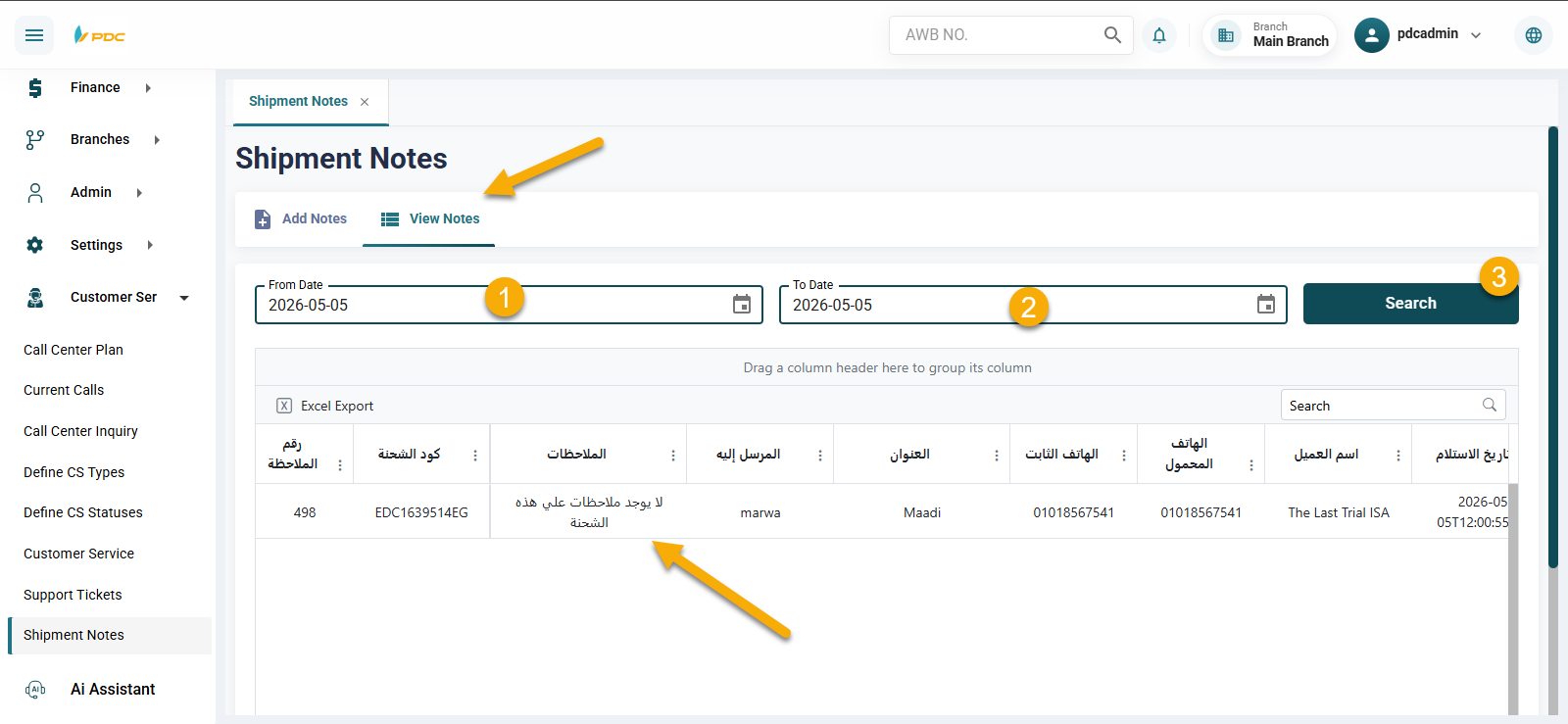
This screen helps ensure better tracking of shipment-related communications and enhances overall service quality.