Order Management
Assign Pickup to Courier
The Assign Pickup to Courier screen is used to link pickup requests to couriers so they can begin working on them.
How to Use:
-
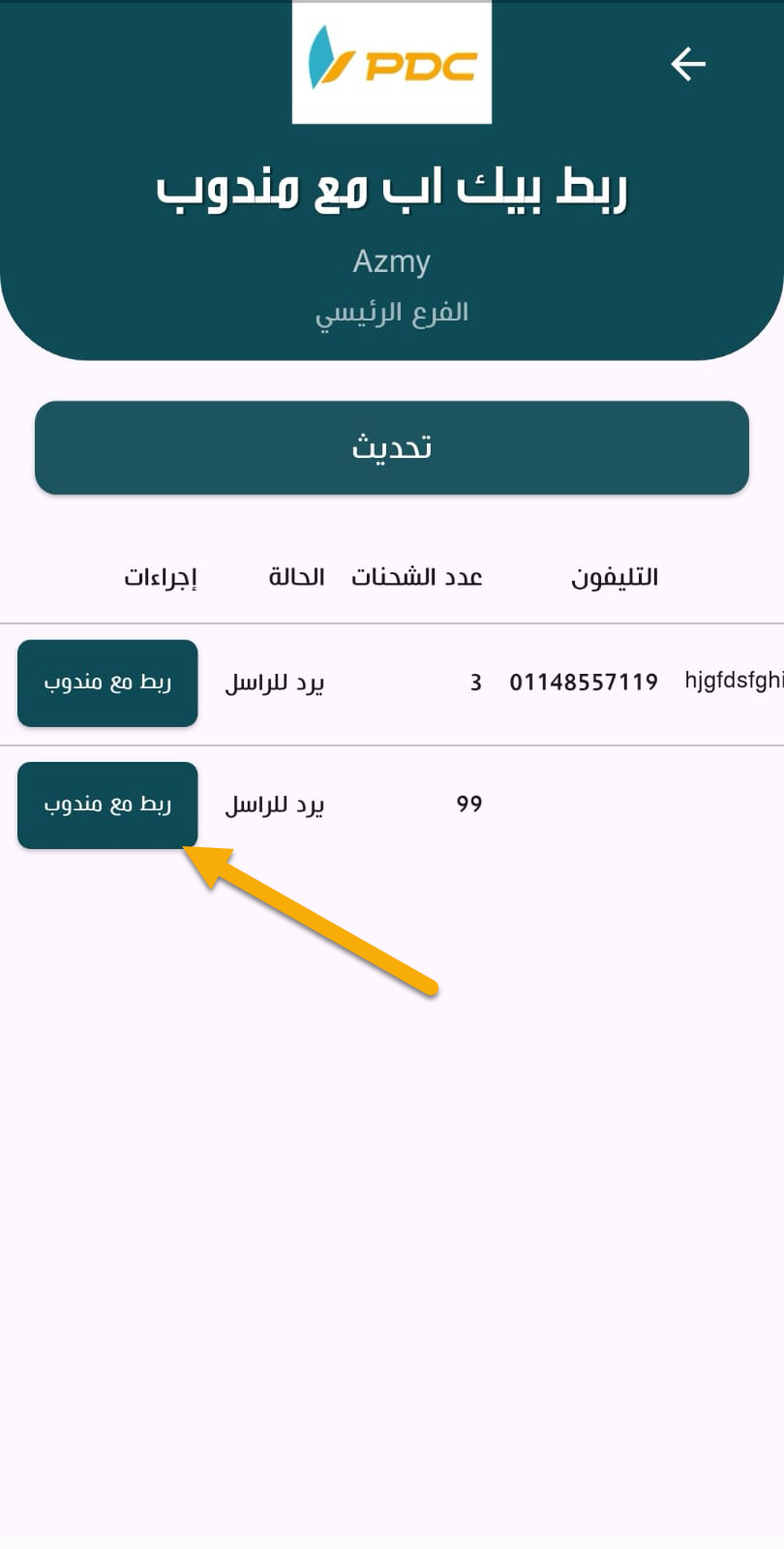
Upon entering the screen, a list of available Pickup Requests will be displayed.
-
Select the pickup request you want to assign.
-
Click on Assign to Courier.
-
A new screen will appear where you can:
- Select the Branch
- Select the Courier
-
Click Confirm.
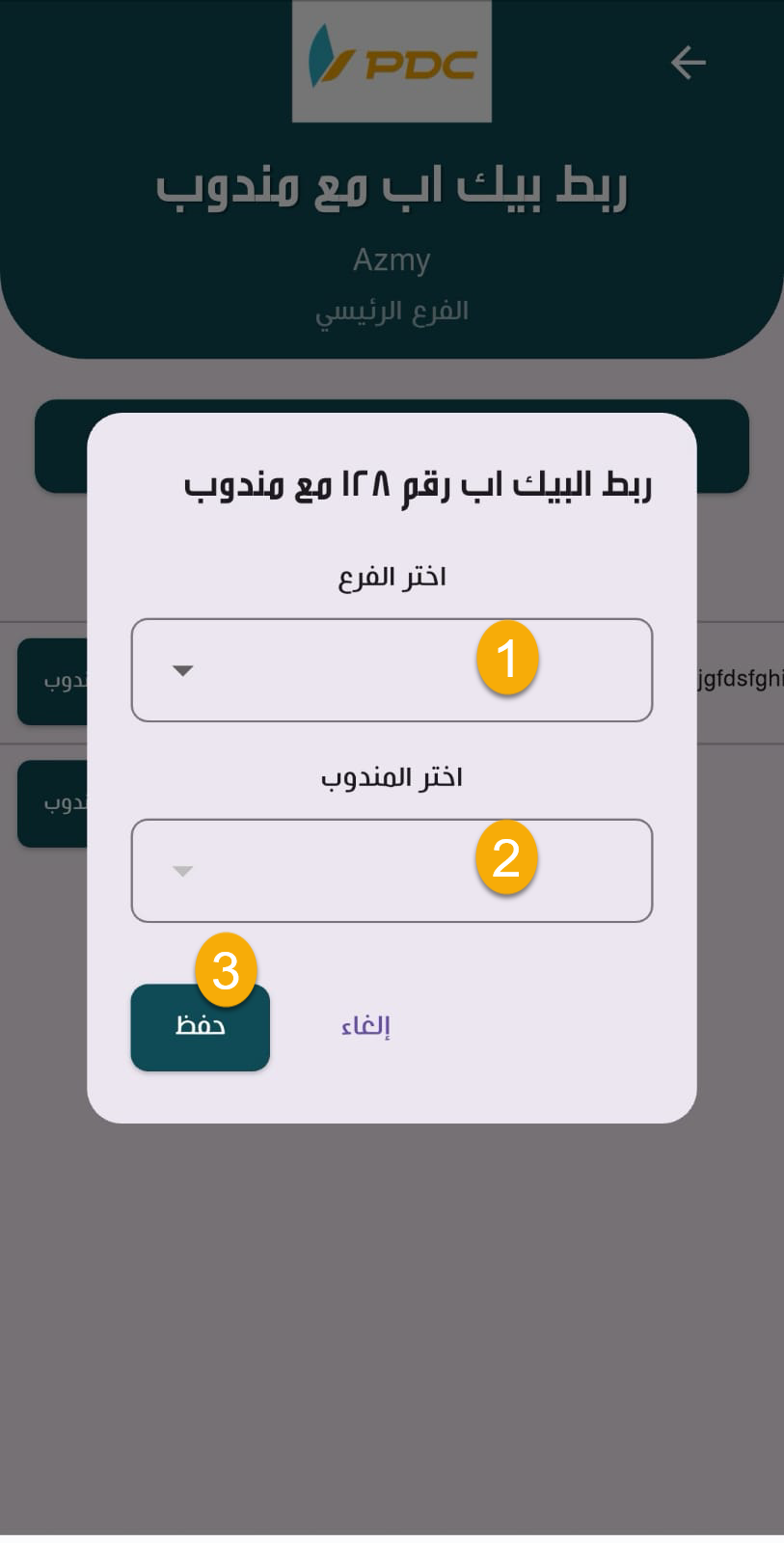
Once confirmed, the pickup request is assigned to the selected courier, allowing them to start processing it.